Use these instructions to view letters in Frances Online. The Frances Online application changes periodically, so you may see different screens and receive different letters based on your situation.
Step 1 — Go to the Frances Online Claimant Portal and log in.
There are two ways to get there:
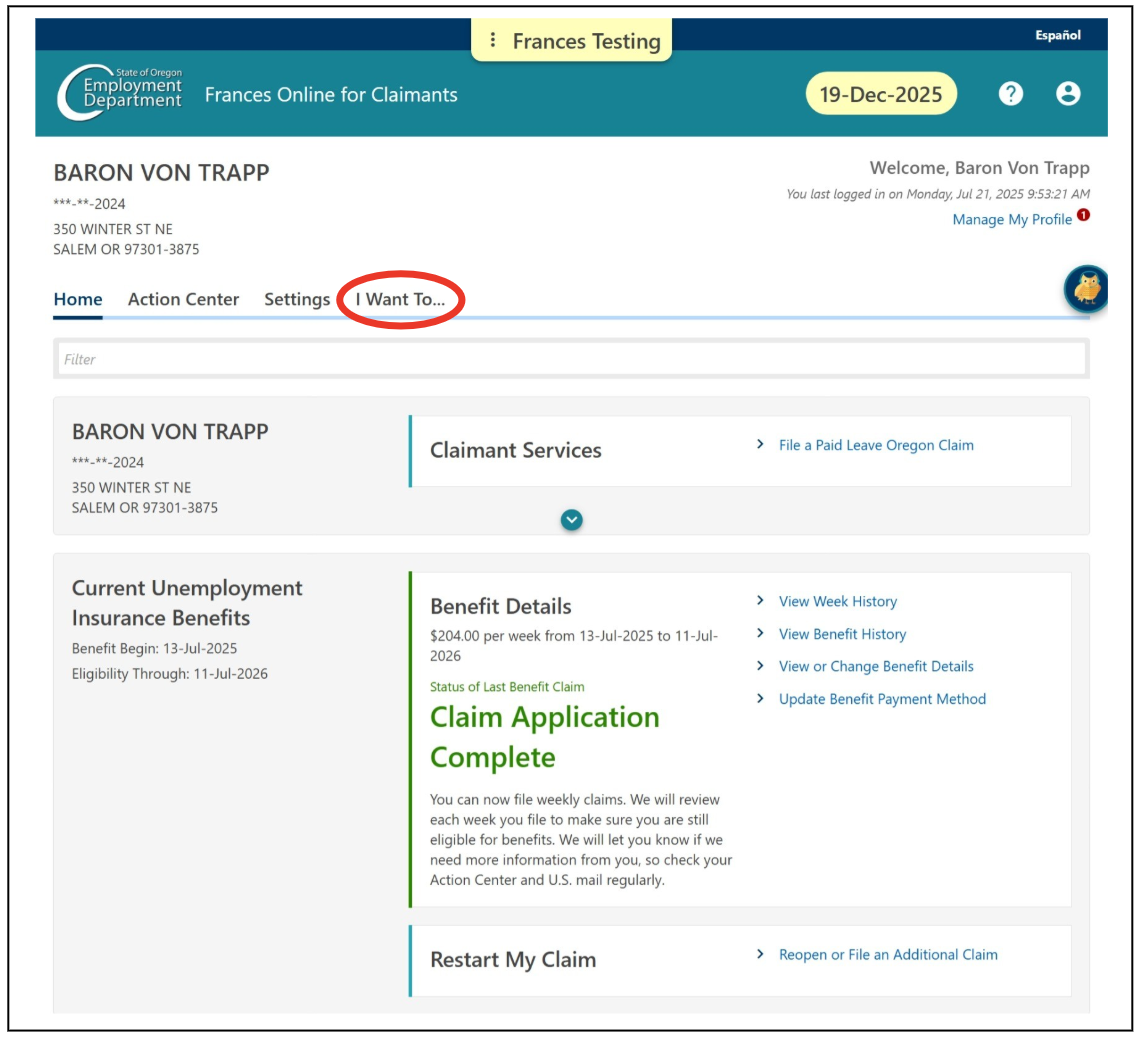
Step 2 — On your Home screen, select the “I Want To…” tab.
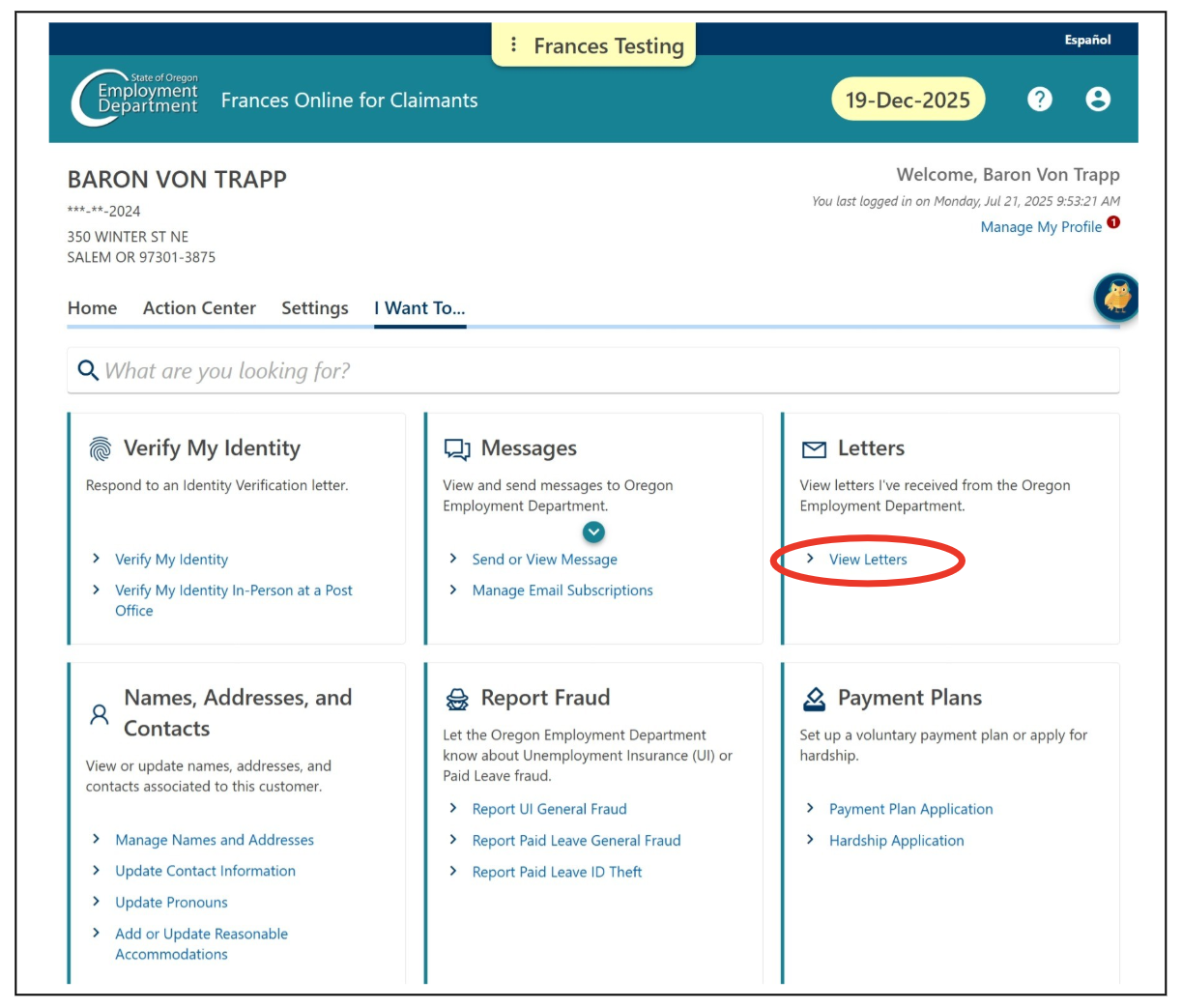
Step 3 — In the Letters panel, select “View Letters.”
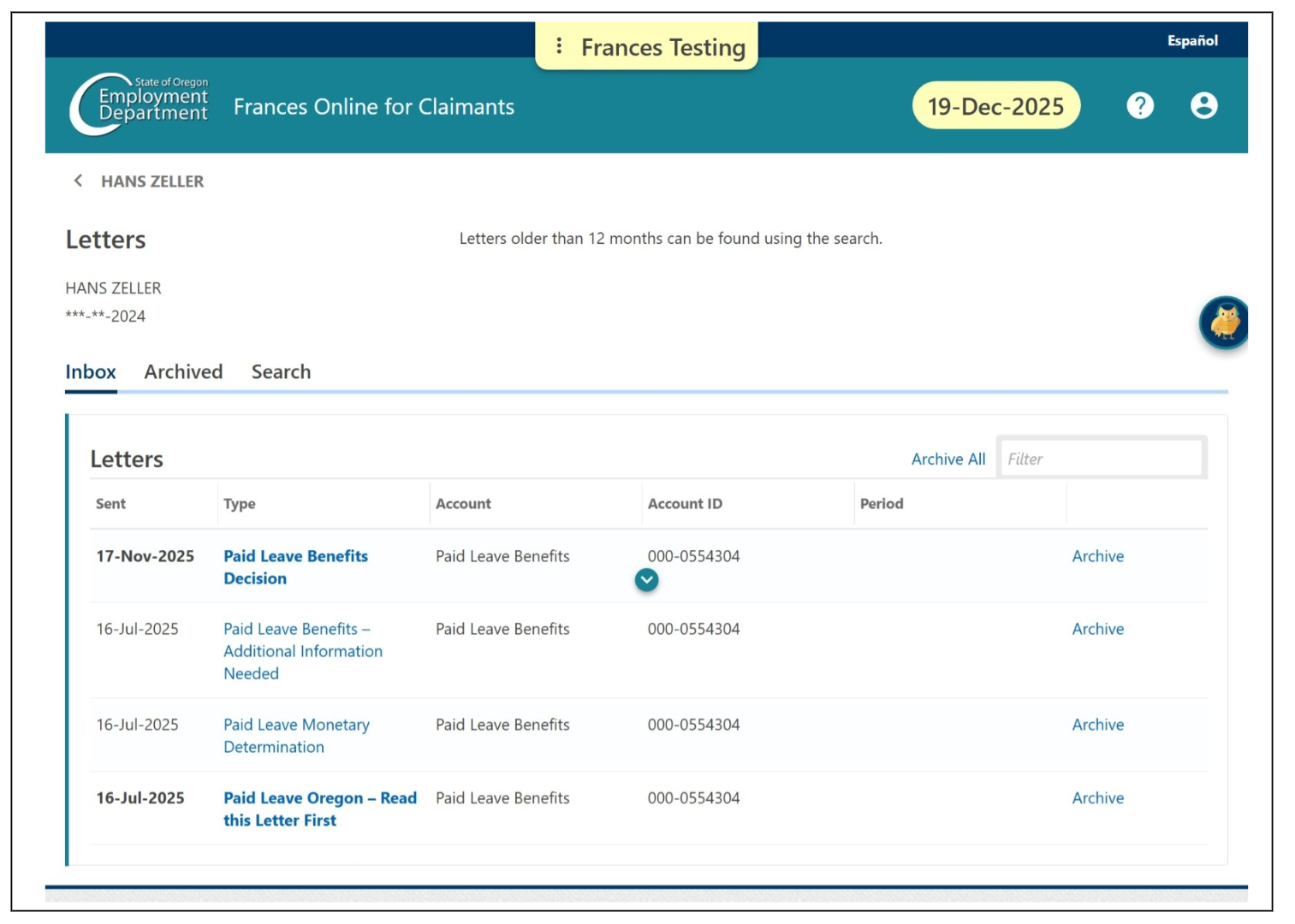
Step 4 — If you have applied for Paid Leave, here are some examples of the letters you might receive.
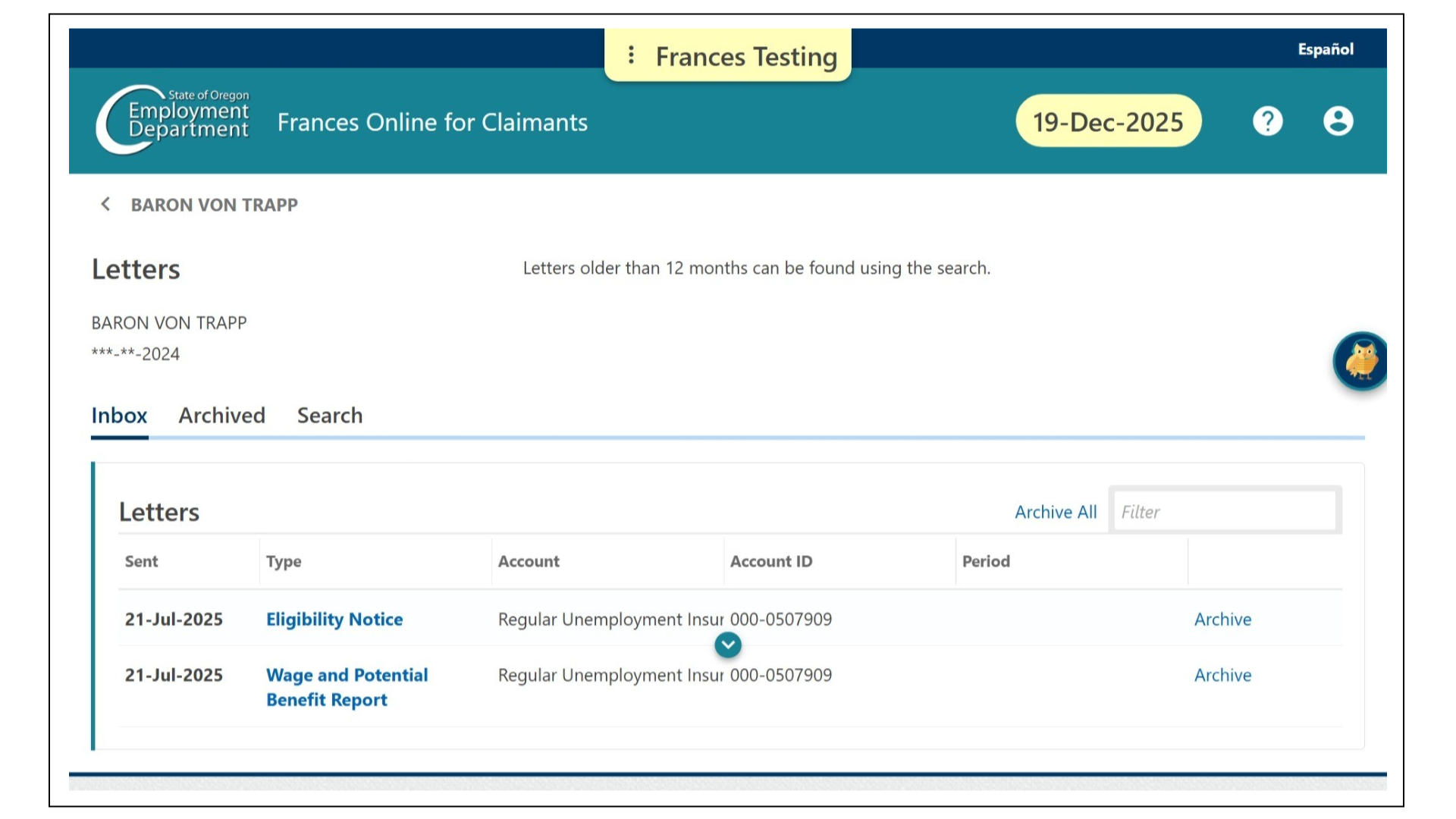
If you have applied for Unemployment Insurance, here are some examples of the letters you might receive.
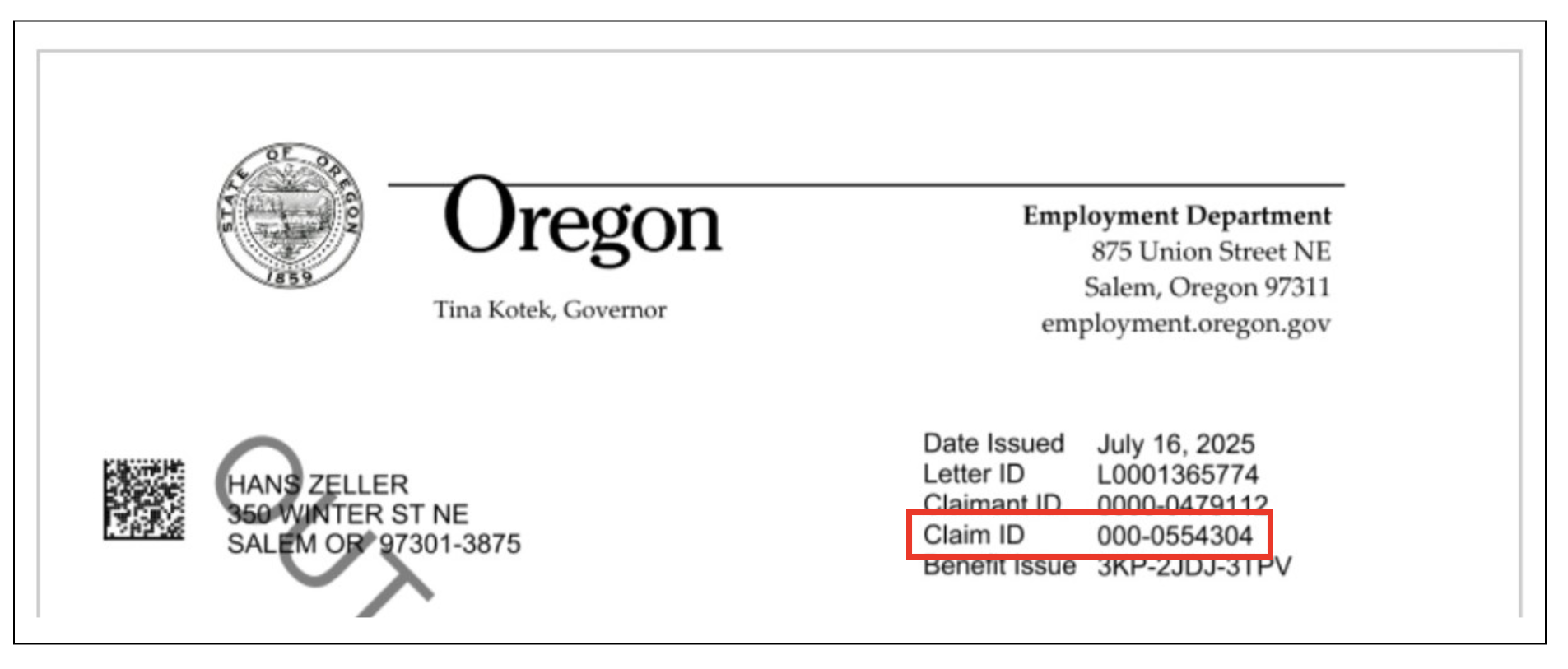
Step 5 — Let’s review a letter. In the top right corner of the first page are several important numbers.
Date Issued:The date on the letter is important because you have a limited number of days to respond to questionnaires, file appeals, and take other actions. 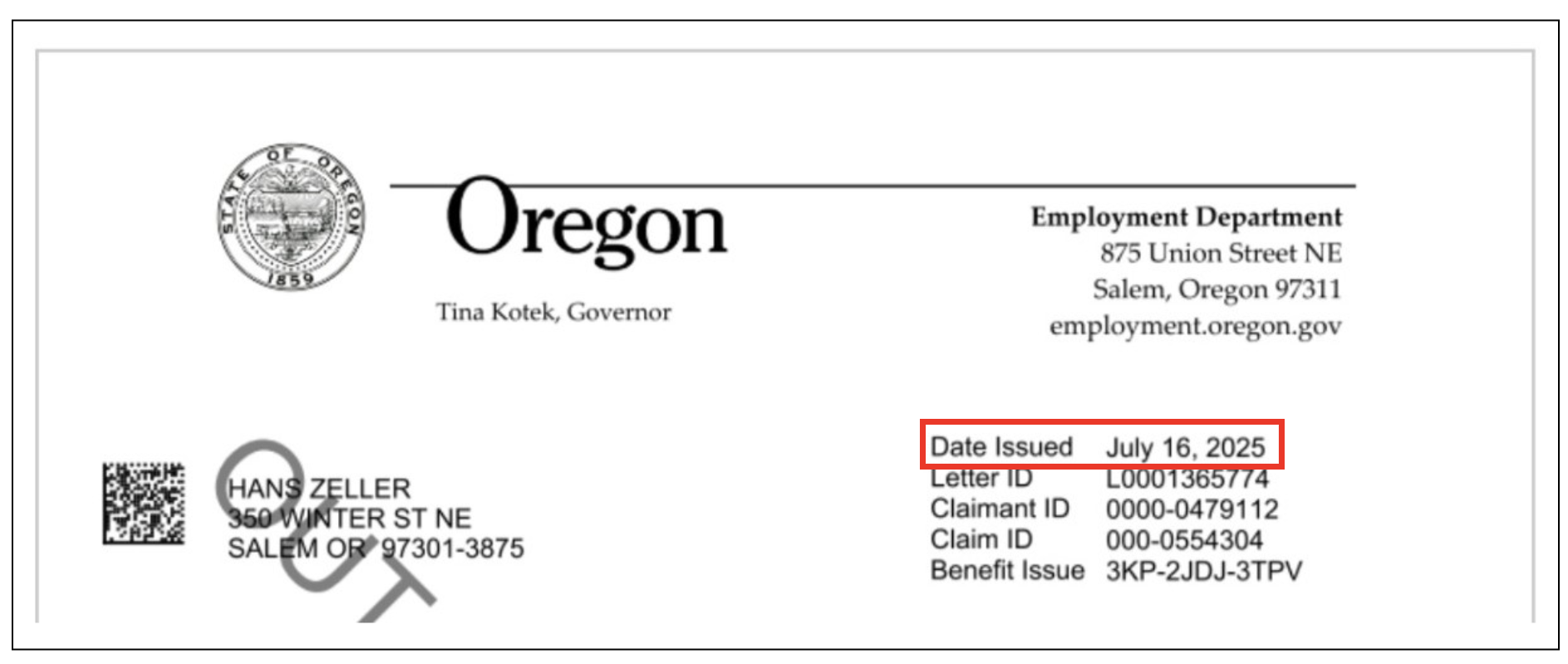
Letter ID: Each letter has a unique code that starts with L and has 10 digits. It helps us identify the letter if you contact us. 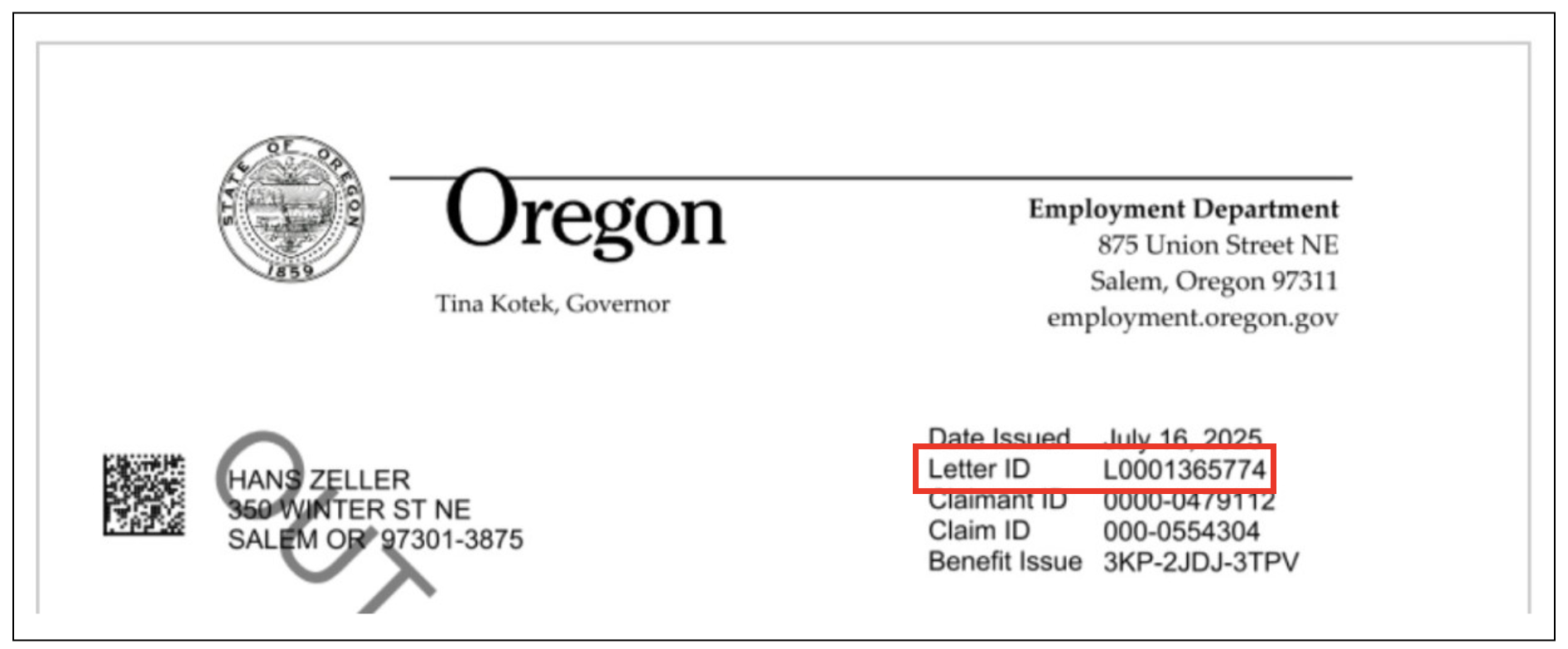
Claimant ID: This number is unique to you and helps us track your account.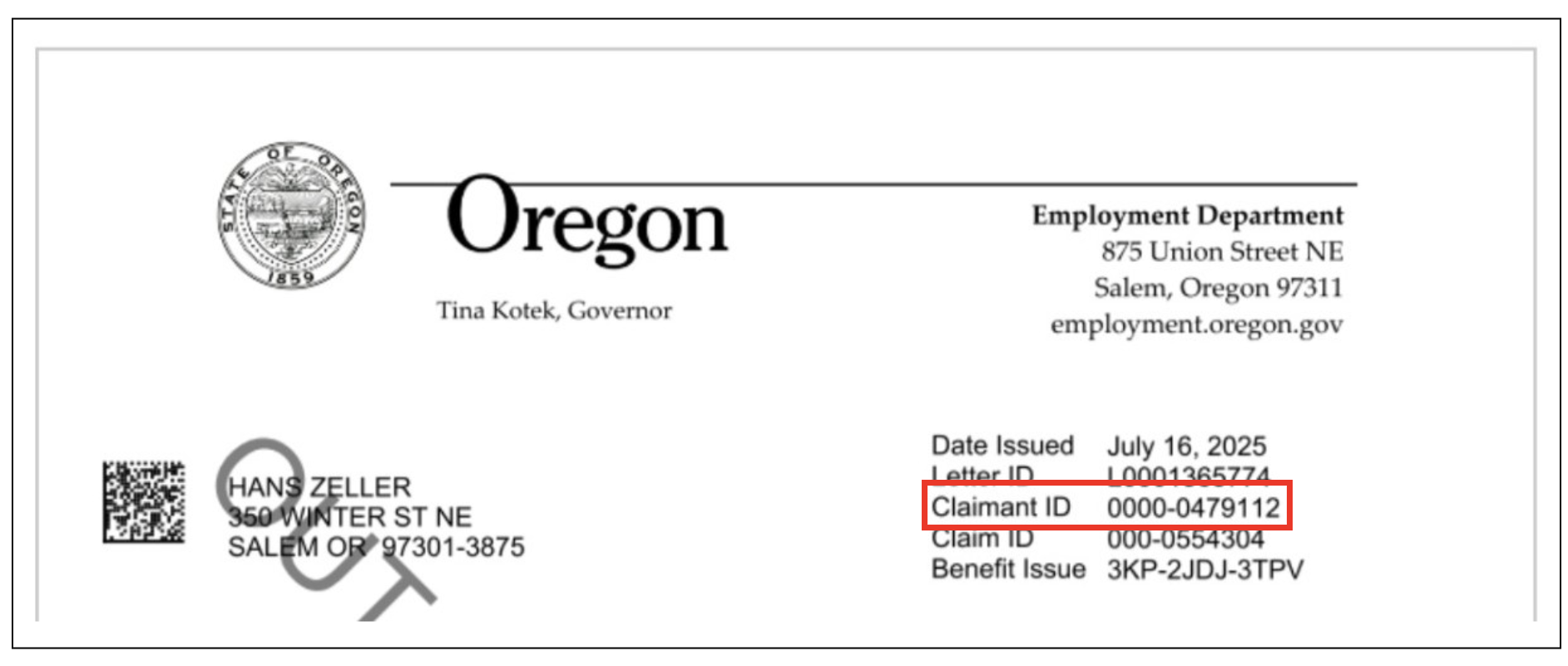
Claim ID: For Unemployment Insurance claims, this number is unique to a specific year-long application for benefits. For Paid Leave claims, this number is specific to your benefit year.
Benefit Issue: For Unemployment Insurance claimants, this number is used to track a specific issue or problem that we found with your claim. Paid Leave claimants may have a benefit issue number without it being related to a problem.
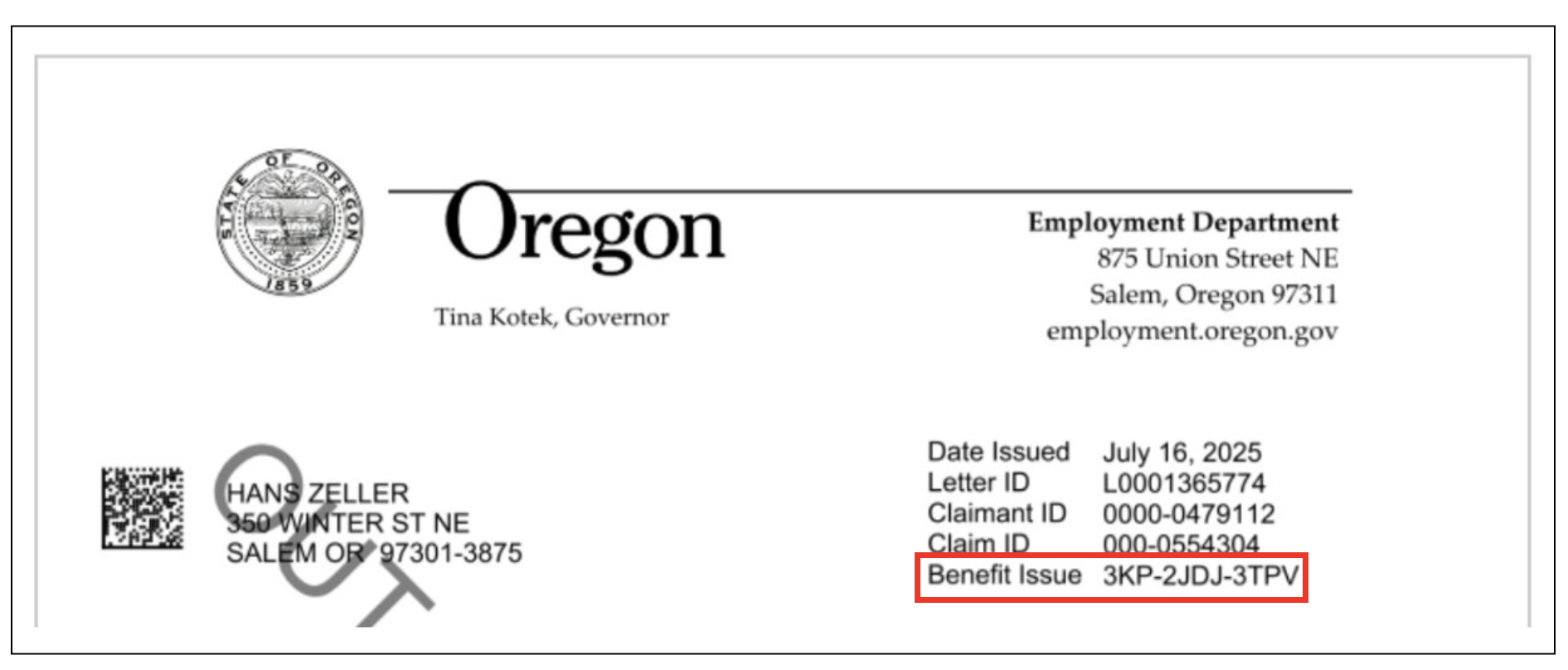 Some letters may not have a Claimant ID, Claim ID, or Benefit Issue. All letters contain a Date Issued and a Letter ID.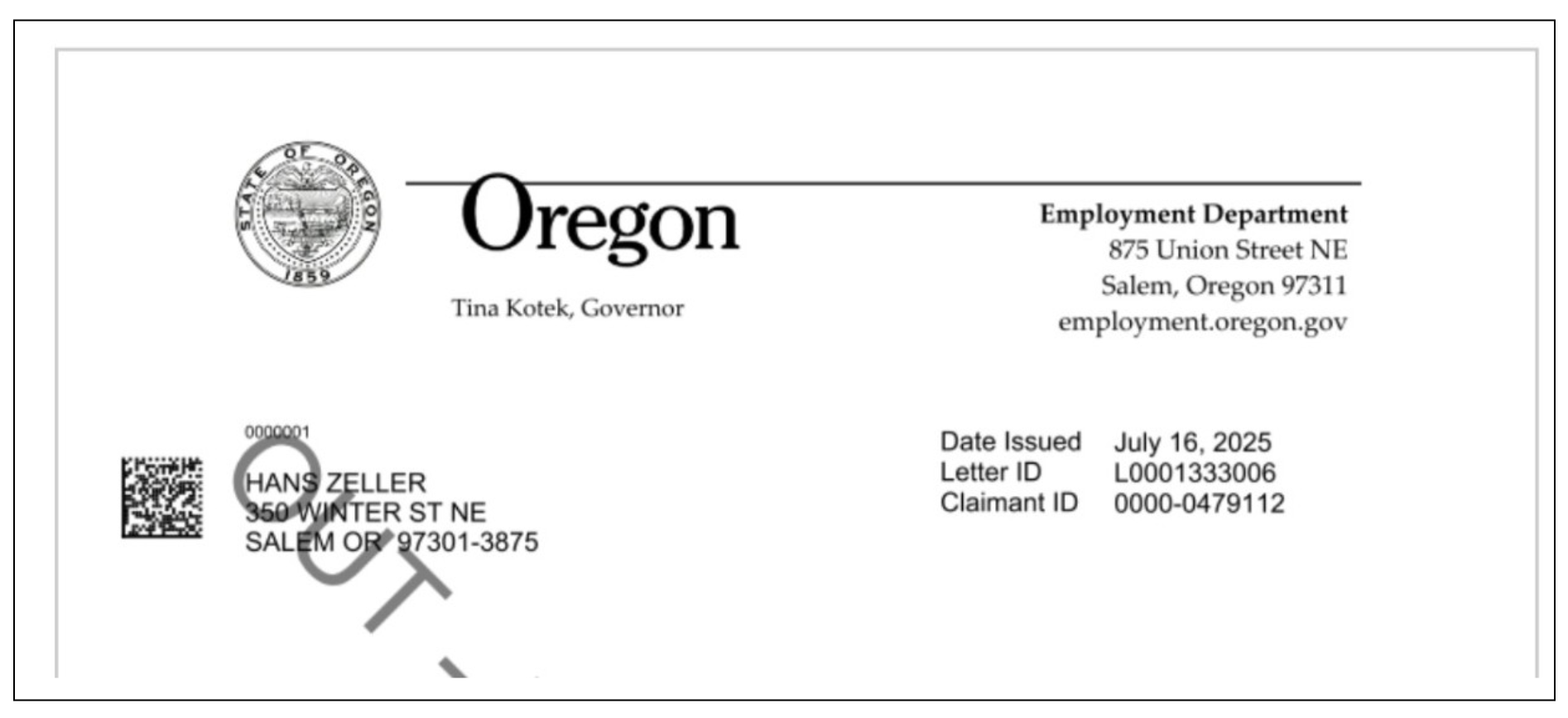
Letters have sections that explain decisions or issues related to your claim and what you can do. These sections include:
Why am I receiving this notice?
Please read the letters carefully and follow any instructions.
Quick tip: Most of the letters we send to you can be read in English or Spanish. If your original letter is in English, and you want to see it in Spanish, select the “View letter in Spanish” link.
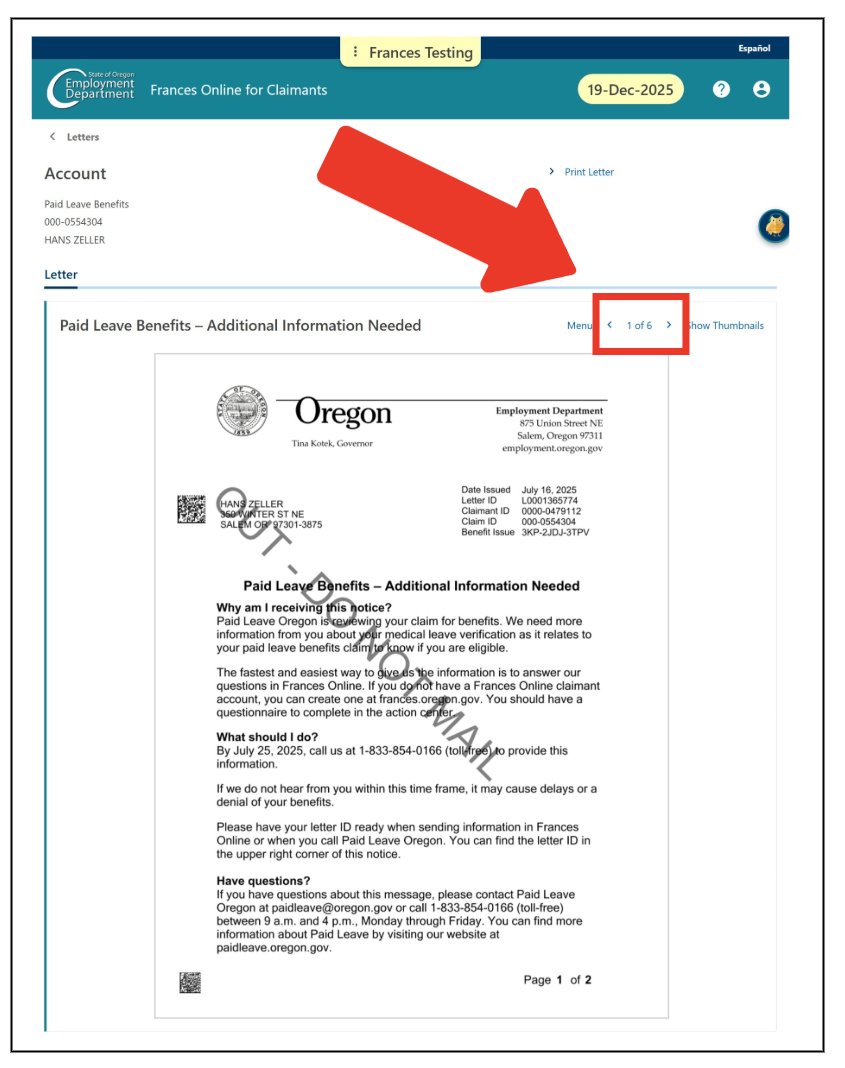
Step 6 — To move through the pages of the letter, select the arrows.
Step 7 —
Select “Print letter” and then “OK” to create a PDF of the letter you can print or save.
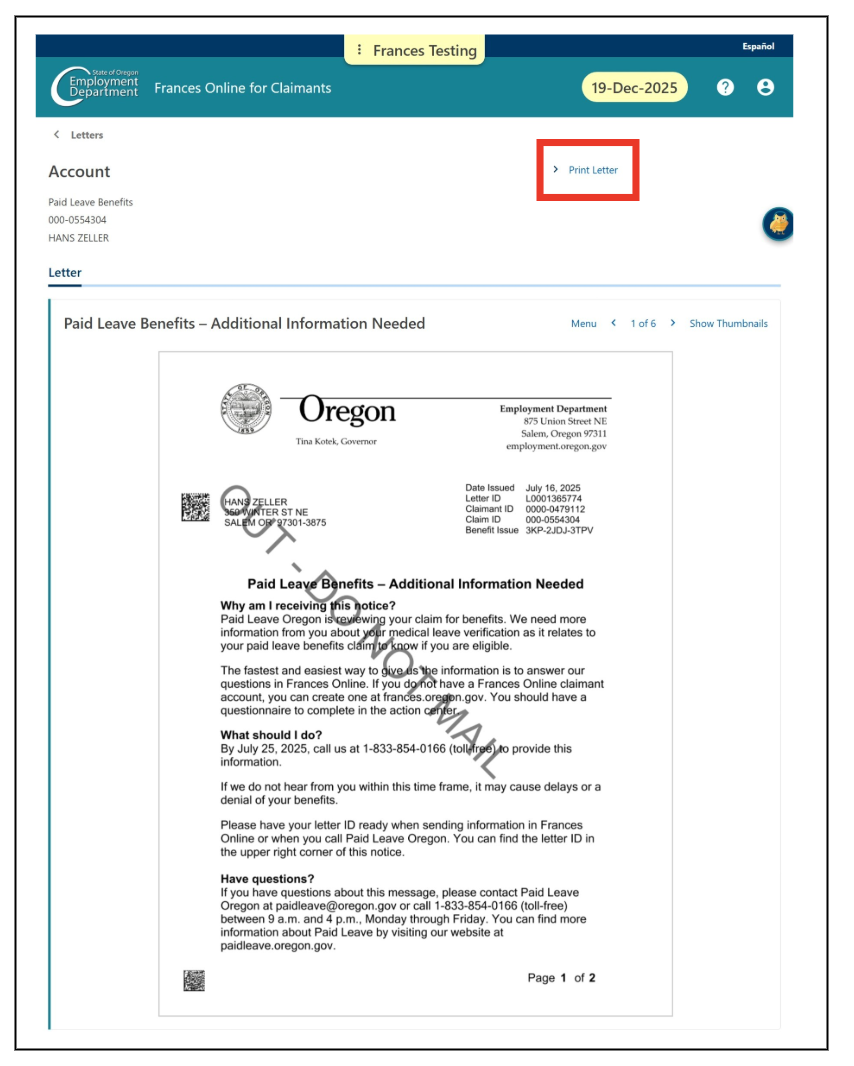 You can view the PDF in another program and print it.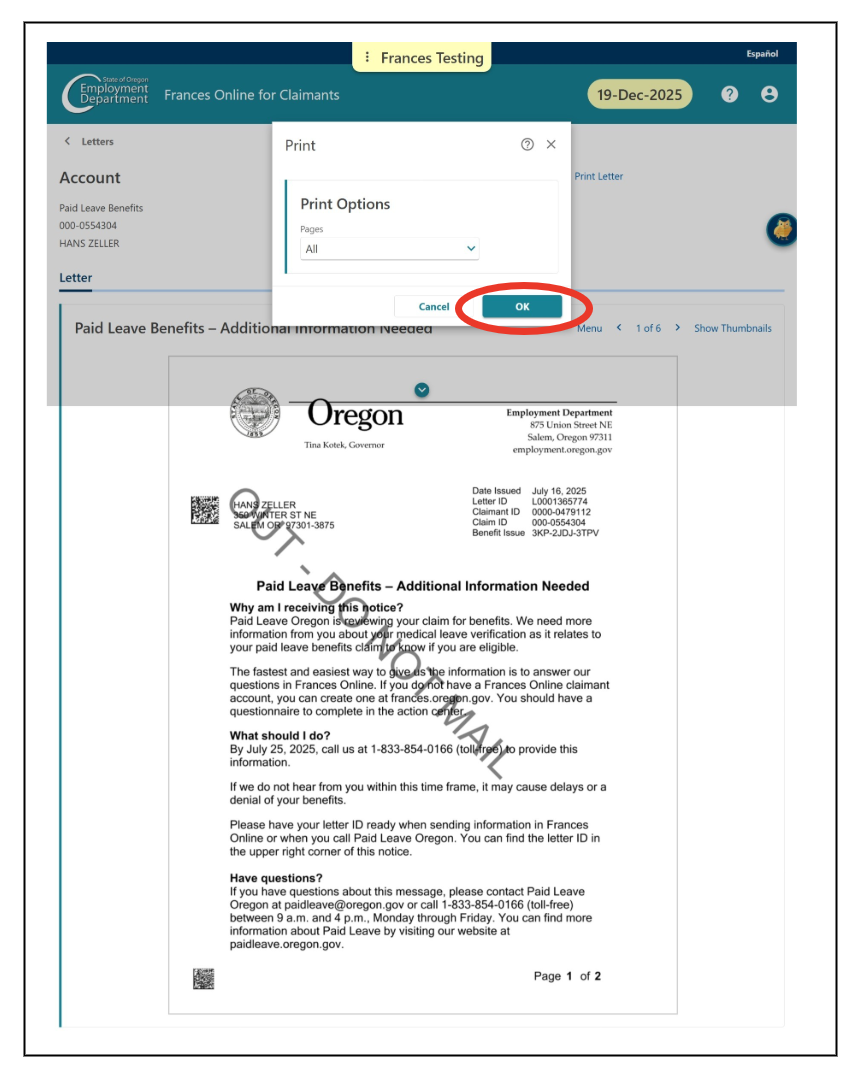
Thanks for using Frances Online.