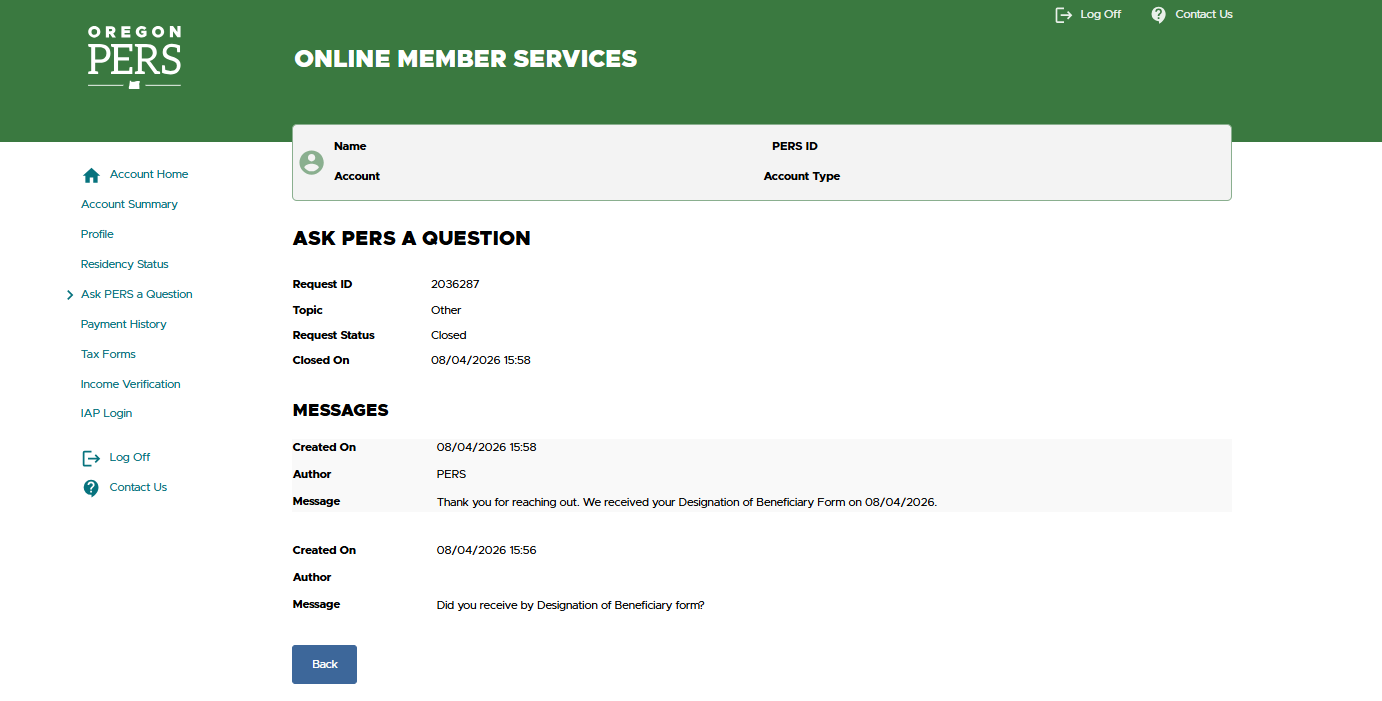
Do you have questions for PERS? You can submit them through your
Online Member Services
(OMS) account.
Follow these steps to submit a question.
Step One — Access the OMS login portal
Access
Online Member
Services (OMS) through the PERS website.
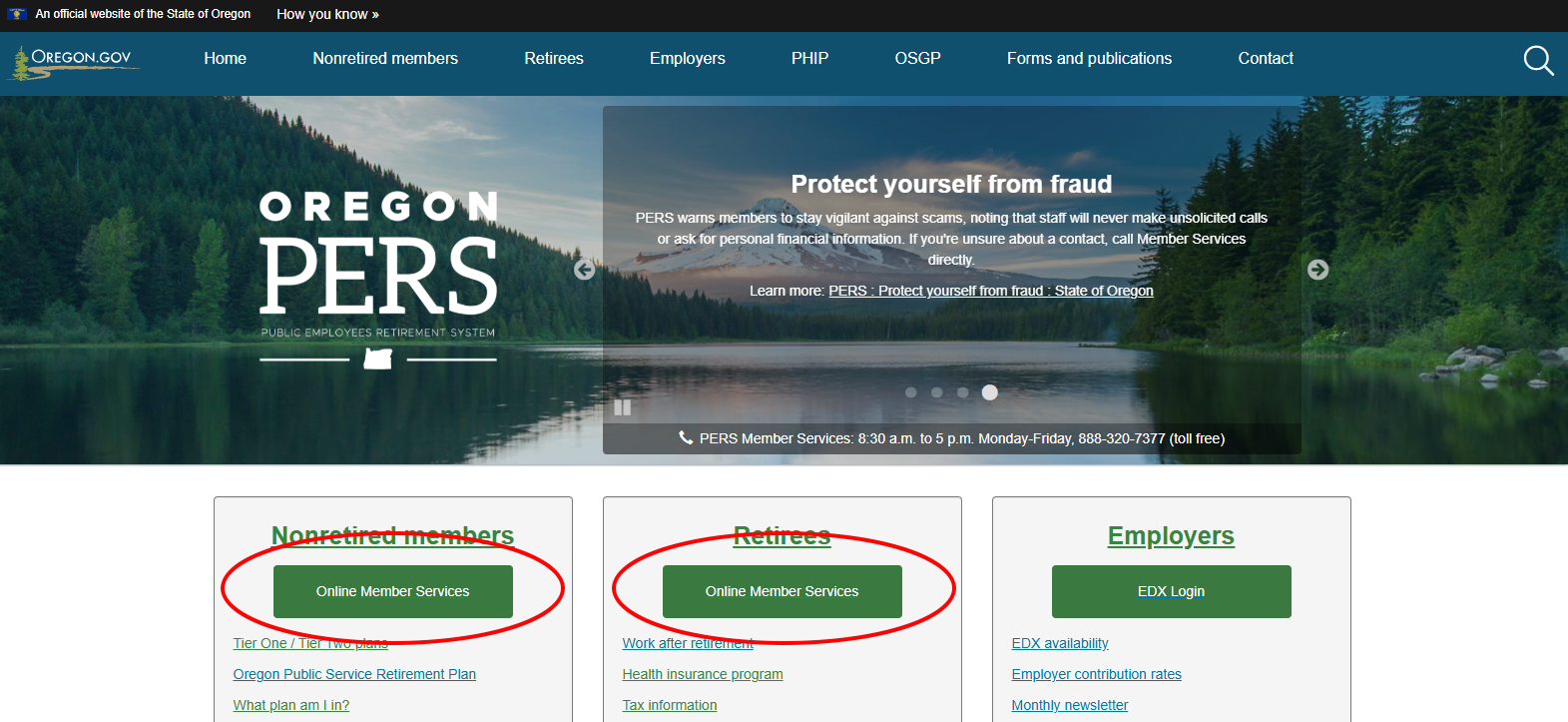
Click on the green Online Member Services button under “Log into OMS” on the right of this webpage.
You also can access it from green buttons on our
homepage under “Nonretired members” and “Retirees” (as shown in the graphic below).
Step Two — Log into OMS
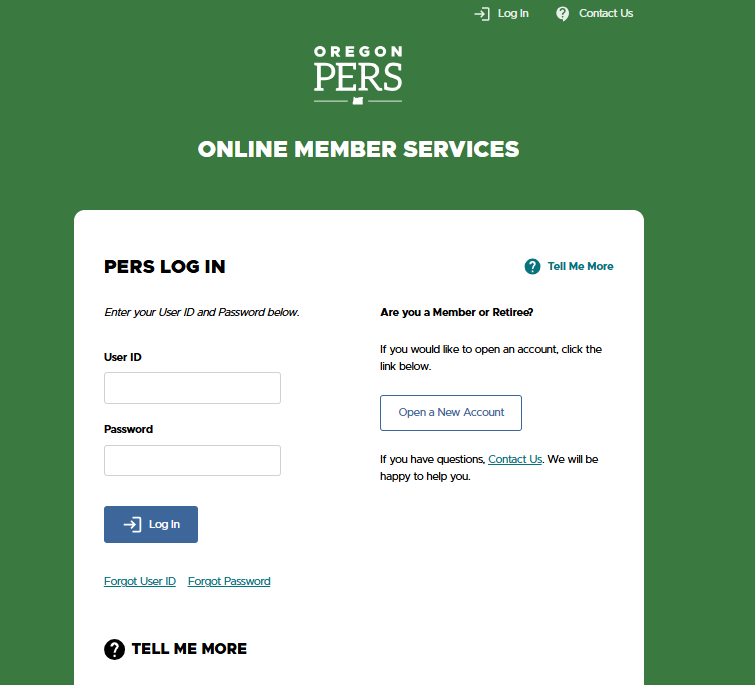
Login to your OMS account by entering your user ID and password.
Step Three — Access your account summary in OMS
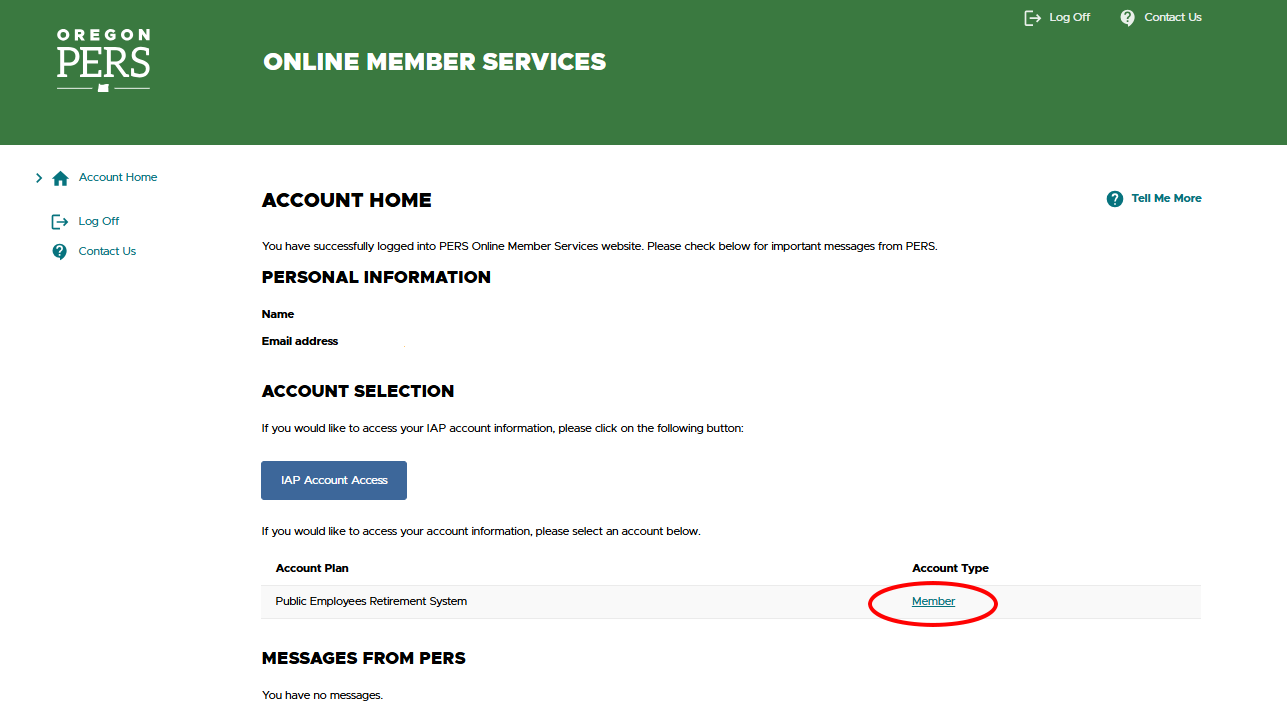
Your “Account Home” page will appear on the screen. To access your PERS account, click on the “Member” or
“Retiree” link under “Account Type.” You will now be taken to your “Account Summary” page.
Step Four — Click a link to ask PERS a question
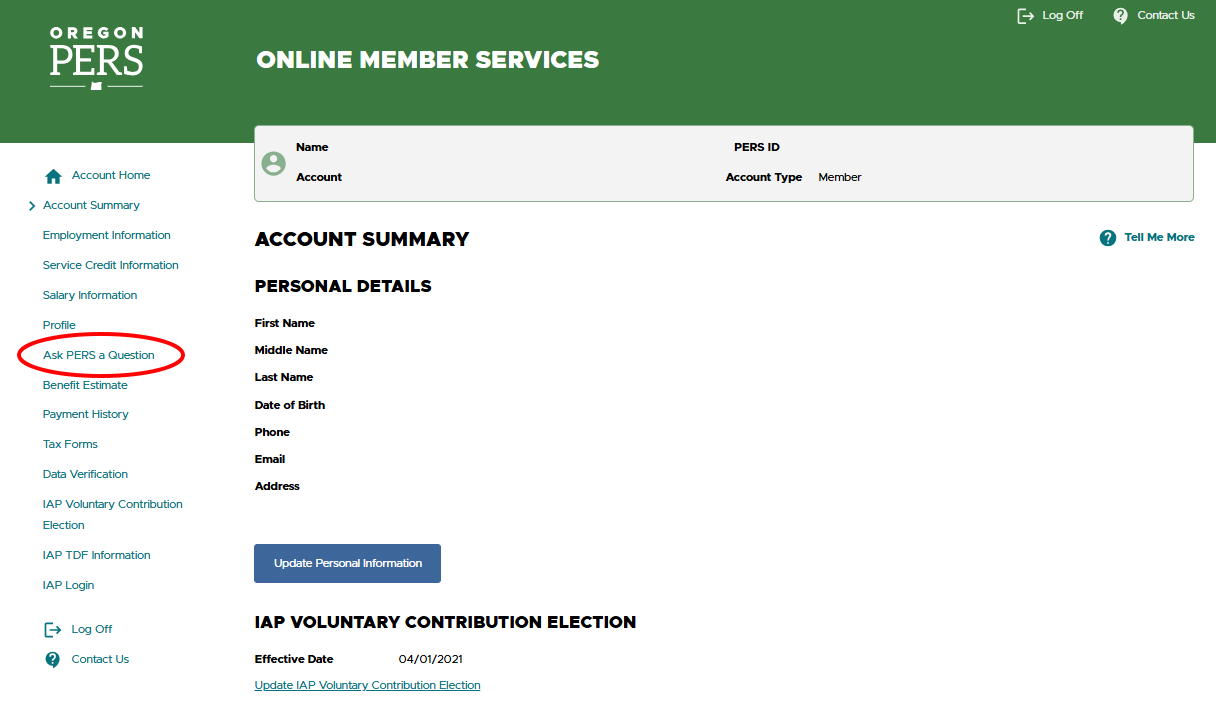
From the “Account Summary” page, click on the “Ask PERS a Question” option on the left-hand side.
Step Five — Create a request
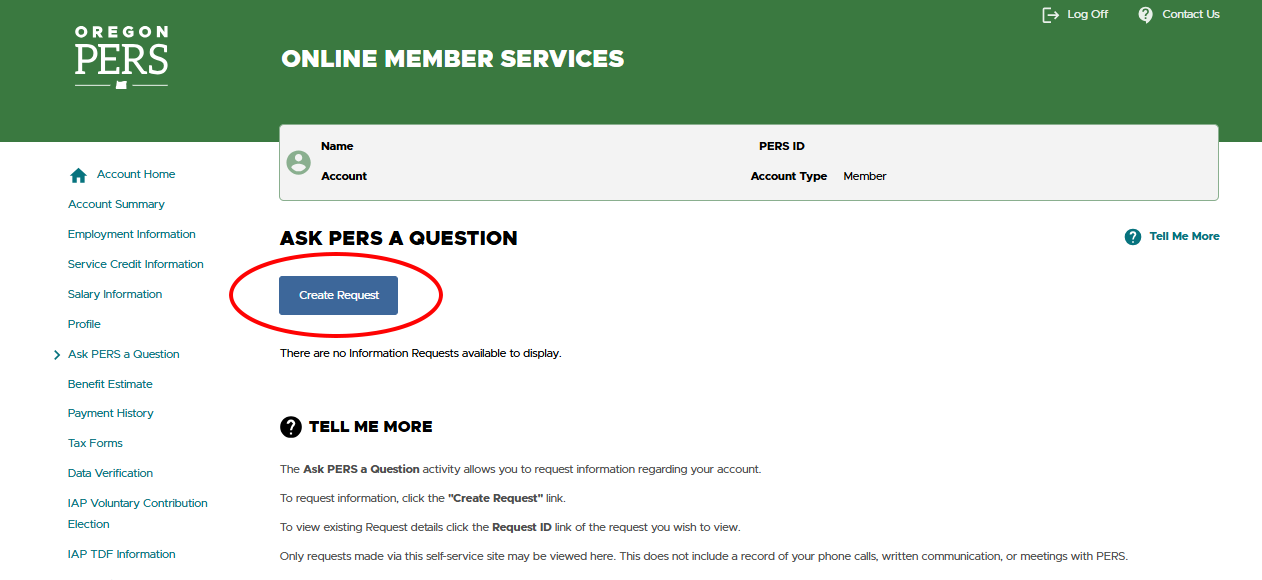
From the “Ask PERS a Question” page, click the “Create Request” button; this will take you to the next step where
you can submit a question.
Step Six — Write and submit your question
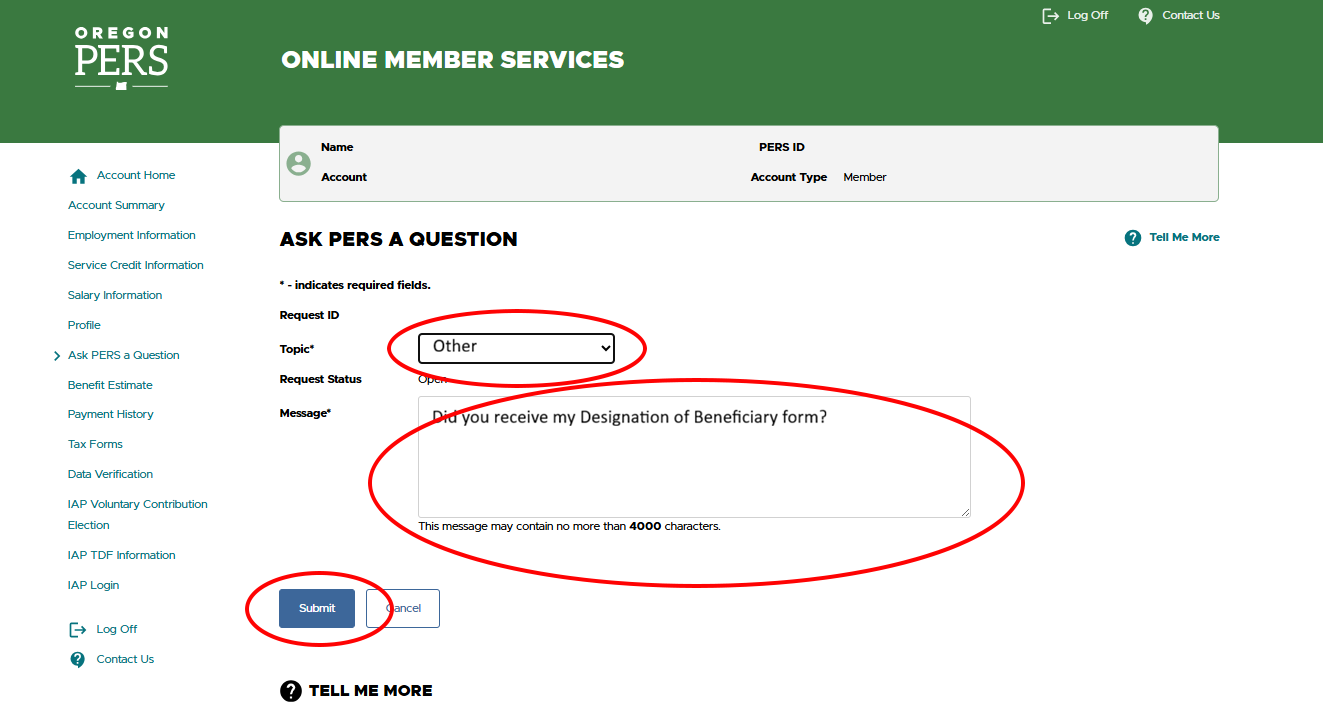
Select the appropriate topic from the “Topic” drop-down menu, and then type your question in the “Message” box.
When finished typing your question, click the “Submit” button.
Step Seven — Get the reference number for your inquiry
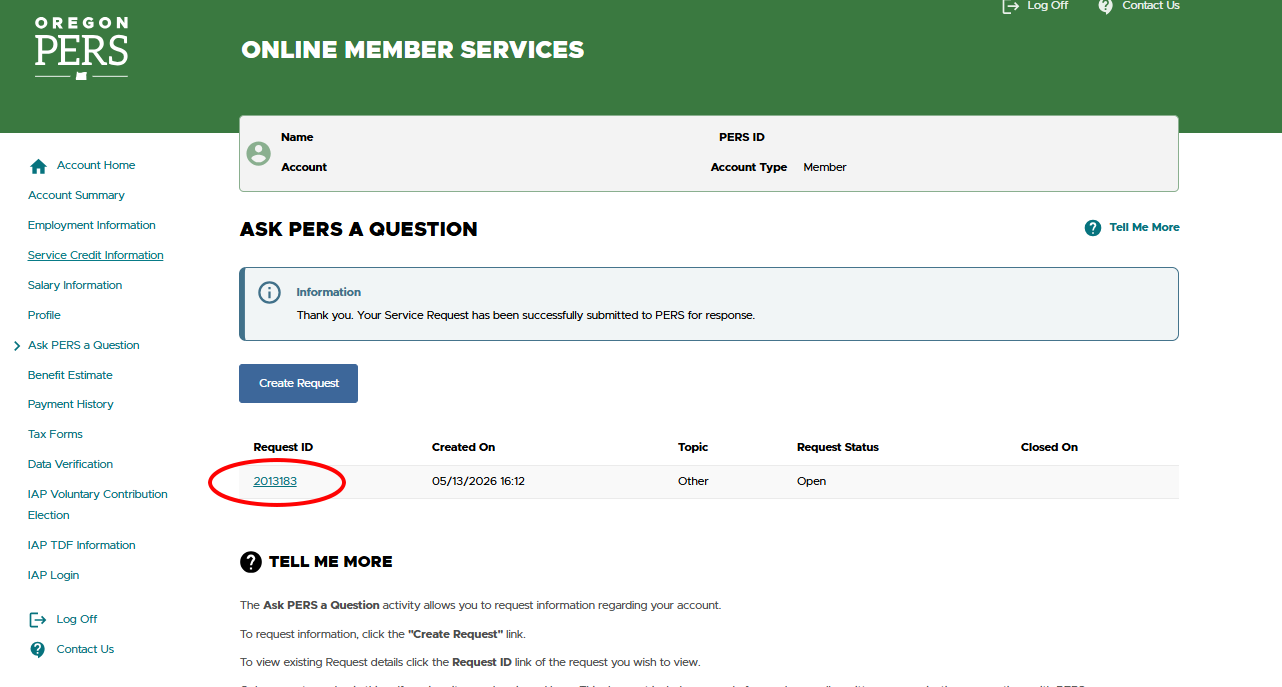
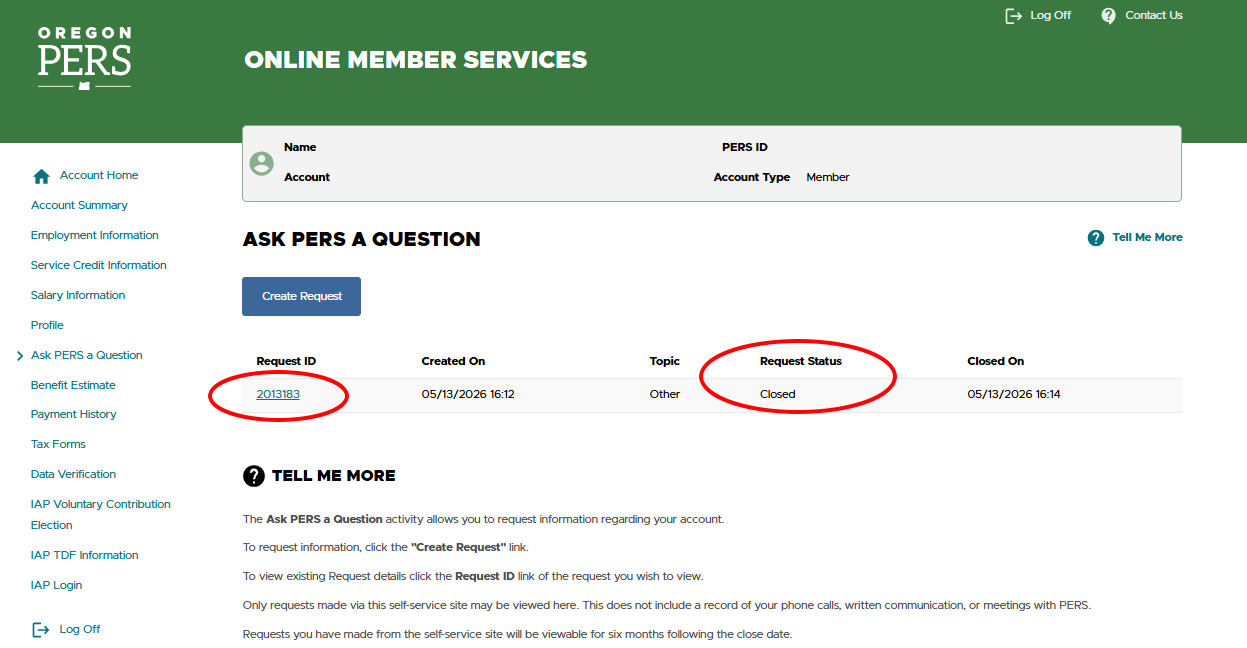
After your inquiry is submitted, it will be given a reference number, which will be displayed under "Request
ID."
Step Eight — Check for PERS’ response
When PERS responds to your inquiry, the request status will change from “Open” to “Closed.” Once the status is
closed, click on your request’s ID number to access the response to your inquiry.
Step Nine — How long it takes to get a response
Note: It can take up to seven business days for PERS to respond to your inquiry.