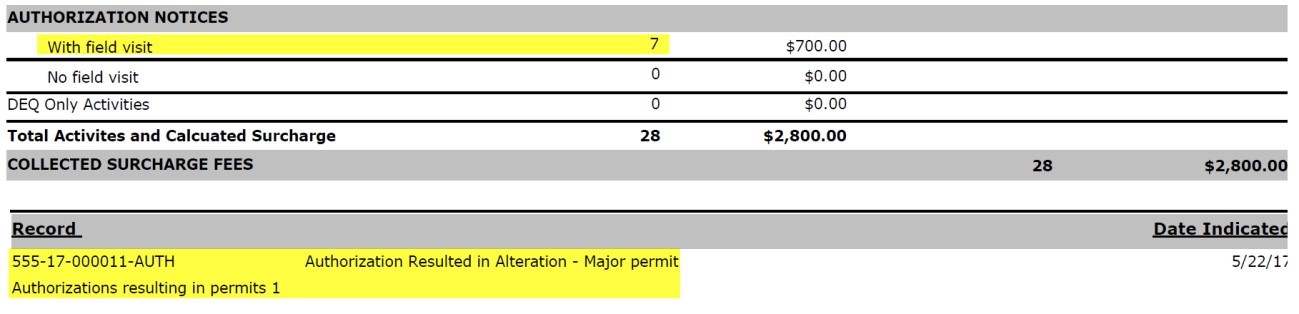
This document will outline the steps required to track an Authorization that becomes a Permit/Repair/Alteration. The purpose of this process to properly reflect all Onsite activity as it relates to DEQ Surcharge reporting.
- Create an Authorization record upon customer request. Process this application as you normally would per your internal business process.
- If the Authorization now requires a corresponding Permit, fill out the 'Authorization Resulted in' field with the appropriate value, and click Save:
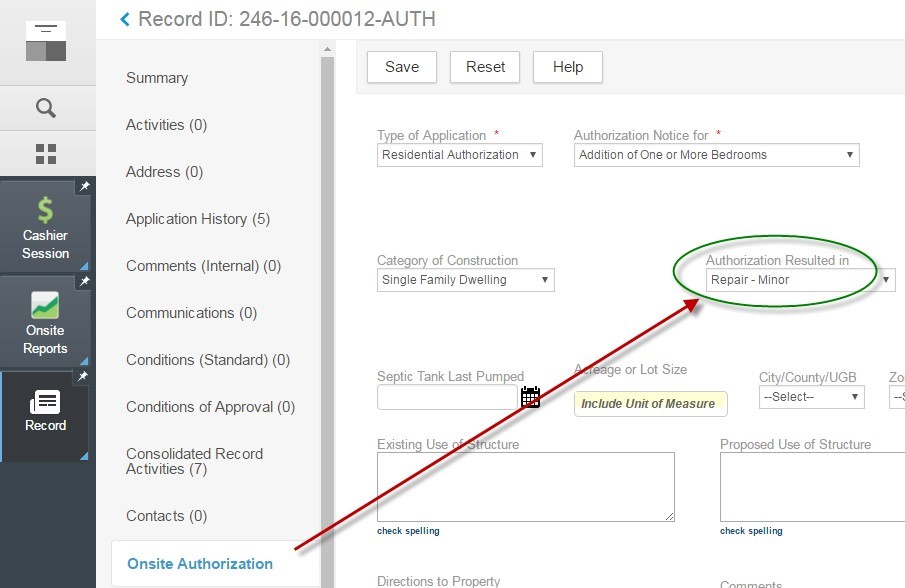
By filling out this field, the DEQ surcharge report will now accurately count the number of Authorizations that turn into Permits.
- You can then finish and close out the Authorization record through workflow and close the record.
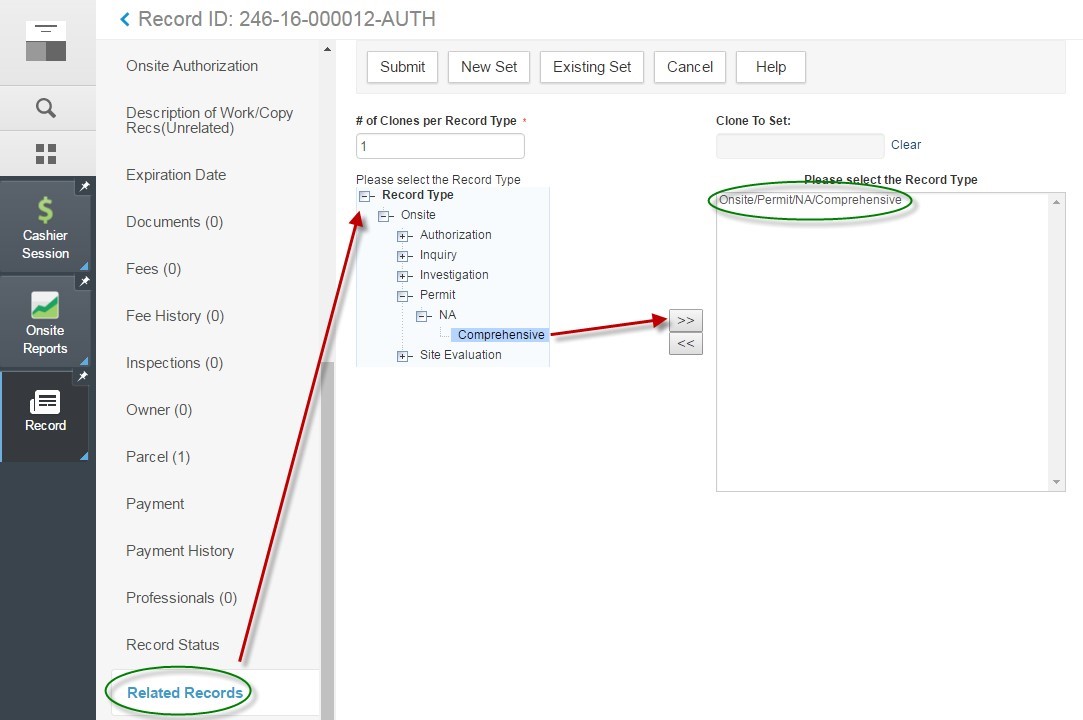
- To generate the corresponding Permit in a time-effective manner (and also to keep the same record number for easier record keeping), click on the Related Records page > Clone Mult. Choose the Permit record type and click Submit:
- You can then copy over certain information from the Authorization to the Permit. We recommend cloning the Address, Parcel, and Owner assuming the site location is the same.
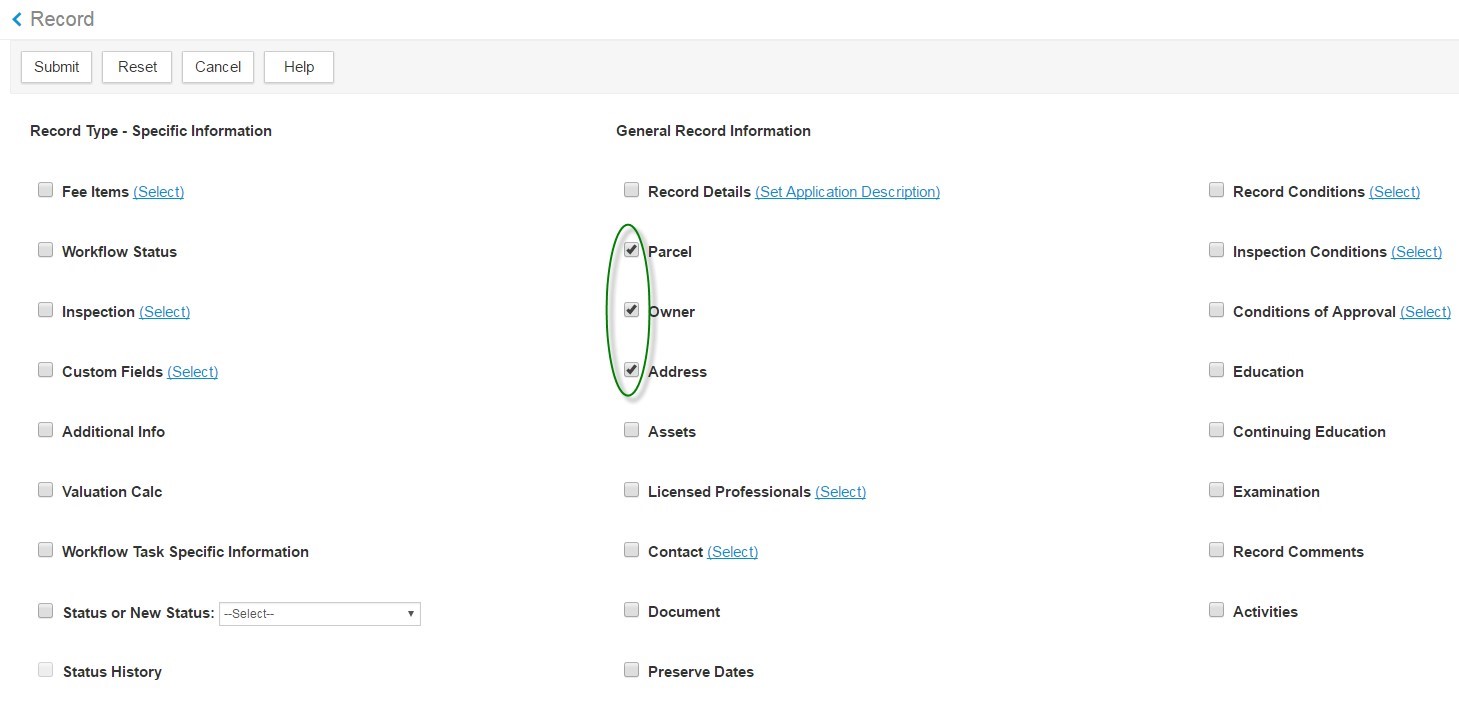
- The Permit has now been created, and it's automatically related to the original Authorization record with the same parent ID number since we created this via Clone:

- Update the Description of Work, Custom Fields, and any other data for the Permit as per your business process.
- If you are not charging any additional fees for the permit, then you don't need to add/invoice anything on the record.
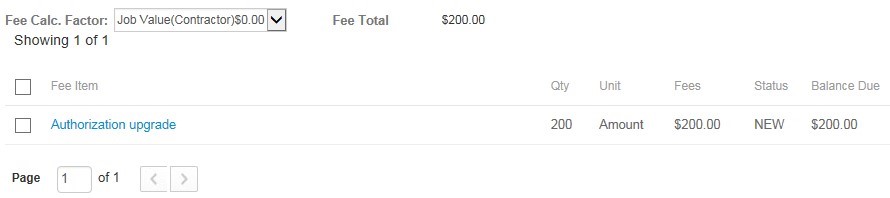
- If the permit fees exceed the authorization fees, you can assess the difference using the “Authorization Upgrade". This fee would be assessed on the newly created permit:
- Your DEQ Surcharge report should now reflect that 1) an Authorization Notice has been created, and 2) a Permit resulted from the Authorization Notice: