The store is now mobile-friendly with a new landing page for easier navigation! The system also requires you to update your password every 90-days. Most boaters are infrequent users, so plan on a few more minutes to log in. The system will say your password has expired.
Use the Boat Oregon Store to:
- Apply for a title and motorboat registration or renew
- Apply for a Boating Safety Education Card or replacement card
- Purchase a Waterway Access Permit
- Apply for a Towed Watersports Endorsement and Permit
- Register a Boat Rental Business
- Register/renew as an Outfitter Guide or Charter Boat License
If it's your first time applying online with the Marine Board:
Click the graphic "Online Lookup" to see if the Marine Board has a record of your boat in the system.
(Note: If you have a Boating Education Card, Waterway Access Permit, Towed Watersports Permit, Boat Rental Business Registration, Outfitter Guide Registration, or Charter Boat License, or have owned a boat, YOU ALREADY HAVE AN ACCOUNT. You may just need to finish setting up your user ID and password.)
The store works best using the Chrome browser. If you receive a 402 or 403 error message with Safari, Firefox, or Internet Explorer, try switching to Chrome.
There are two ways to log in:
1. Click "Sign In" located in the upper right-hand corner; or
2. Click on a graphic for the transaction you want to complete. Then a login window opens to enter your username and password.
Once you are in the store, a new page will load for transaction types:
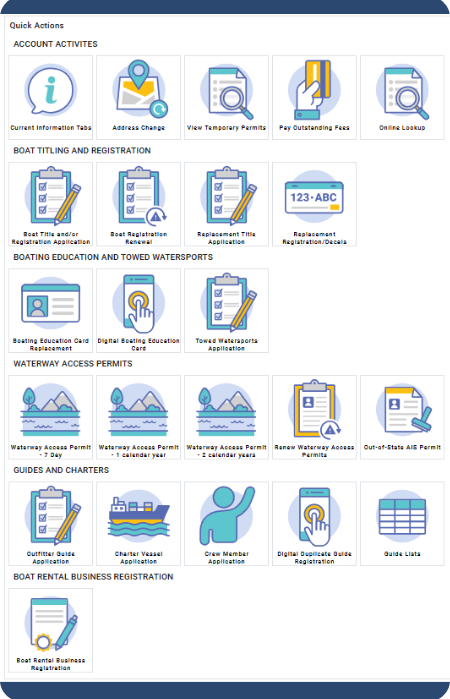
Make your selection and follow the prompts to complete your purchase.
FOR SINGLE MOTORBOAT REGISTRATION RENEWAL
Click on the “Boat Renewal Tab" (the background is white for the active tab)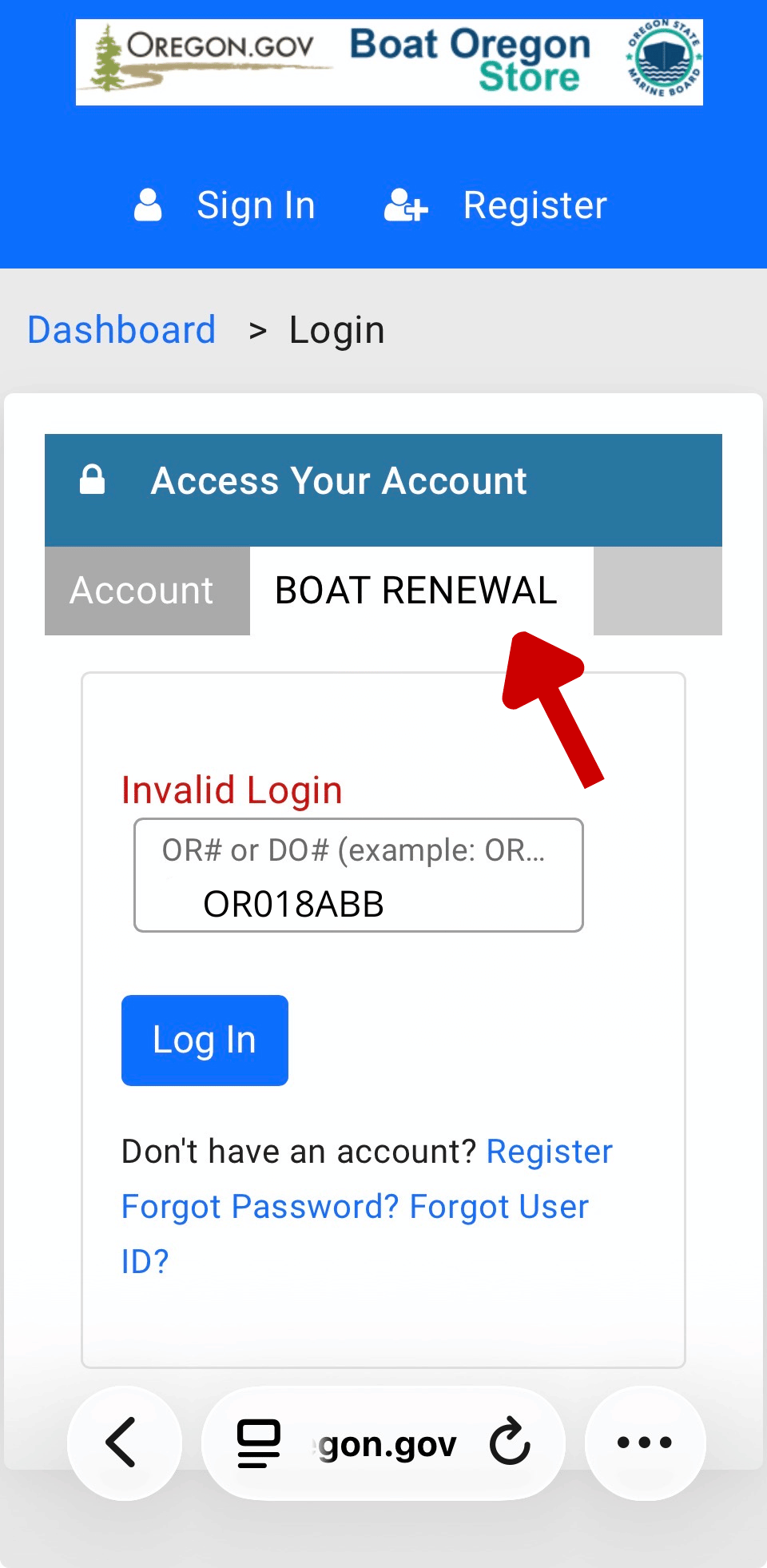
1. Enter the OR# or DO# (Example:
OR 018 ABC or
DO1138651 for Coast Guard -documented vessels) in the field, then click the Login button.
NOTE: If an "Invalid Login" alert appears, it means the registration is either in an "expired" status or the boat has a current registration. Only a single motorboat needing renewal will be able to enter the system.
2. Click the word Start (on the left next to the boat you want to renew). Then, in the renewal window, click Next, Add to Cart (the buttons on the lower-left side of the screen), and Pay Invoice. A new page will open. Enter your credit card information on the secure payment page.
3. Once the payment is approved, print the temporary permit to use the boat right away. New registration decals will be printed within 3-5 business days for mailing via US Mail. (NOTE: There is an additional time delay using US Mail.)
1. Click on the Boat Registration Renewal graphic.
2. You will land on the Account tab, which is the active one. Do not click the Boat Renewal tab, which is for renewing only one boat.
3. Enter your User ID and Password in the Access Your Account box. If you do not remember either your User ID or Password, contact our office at marine.board@boat.oregon.gov or call (503) 378-8587, Monday through Friday, 8 am to 5 pm, for help.
4. In the new window, you'll see all the boats available for renewal. Select the first boat and click the word Start. In the new window, click Next, then Add to Cart.
5. Go back to the Boat Registration Renewal graphic, select the next boat to renew, and click Start. In the new window, click Next, Add to Cart. Continue this process for additional boats.
6. After the last boat to renew, click Pay Invoice, and all the boats will be in the cart!
7. Once the payment is approved, print the temporary permits to use the boat immediately. New registration decals will be printed the next business day for mailing via US Mail. (NOTE: There is an additional time delay with US Mail).
FAQs for the Boat Oregon Store
Click the link "Forgot Password or Forgot UserID" on the landing page to recover your account. If this is unsuccessful or you get stuck, call 503-378-8587 and ask for online help with your password. You can also email the Marine Board and add in the subject line, "forgot my userID and password."
How to Log In
You can log in two different ways, depending on the type of transaction you need to complete.
Single Boat Renewal
Select the Boat Registration Renewal tile. You will only need your boat's OR number to complete your renewal.
Multiple Boat Renewals
Select the Account Tab to view and manage all boats associated with your account.
Login Credentials
Your UserID and password are either created during account setup or automatically generated by the system.
If you are unsure of your login information, you can:
- Email the Marine Board
- Select Forgot Password or Forgot UserID links (available if you previously set up security questions).
If you're locked out, clear your browsing history/cache. This will reset the connection and allow you to log back in. If you're accessing our store on a tablet or smart phone, ensure the Boat Oregon Store app is CLOSED, not just minimized. The best way to ensure this is to restart your device.
Click “Sign In" in the upper right-hand corner of your screen. A new page will load with selections to choose from.
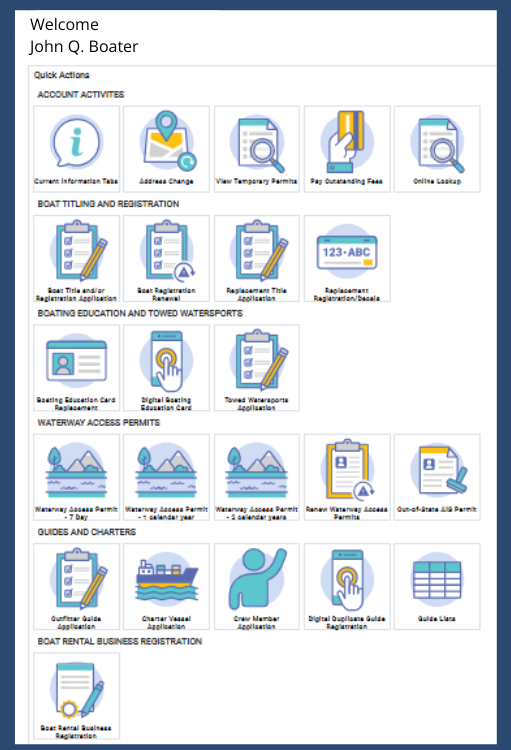
If you run into any issues, please call 503-378-8587 or email the Marine Board and add your issue in the subject line.
You either have multiple accounts or the boat is not in the correct status for renewal. For further assistance, call 503-378-8587 or email the Marine Board and add your question in the subject line.
The boat record will be listed under the person's name listed first on the registration. Please check their account before contacting the Marine Board. Call 503-378-8587 or email the Marine Board, and add your question to the subject line.
Under the category for Boat Titling and Registration, click on Boat Registration Renewal
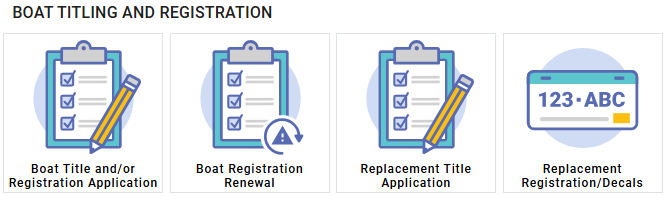
If you're signing in for the first time, be sure to set up security questions so you can access your account in case you are locked out for any reason. Then, change your temporary password to a secure password you can remember. NOTE: Passwords now expire every 90-days.
The Marine Board doesn't archive accounts. Verify that your browser lists the URL for the Boat Oregon Store (https://apps3.oregon.gov/Dashboard.aspx).
Your browser may be auto-filling in a field. Please delete this information and try entering the correct UserID or password. NOTE: Passwords will expire after 90-days.
Click on the
Account tab and enter your UserID and Password. You can manage all records associated with your account
You can renew your motorboat online and also purchase the waterway access permits through our online store, but you'll need to pay for them as separate transactions. Pay the invoice for the motorboat registration, then scroll to the bottom of the page and select the next transaction type. Then, Add to Cart and Pay Invoice.
For a list of required equipment and permits, please
visit our Required Equipment page.
If you've contacted us for help with resetting your password, please use the password that Marine Board staff provided, or you won't be able to access your account.
No.
The agency works with registration agents around the state who can assist you. One of our staff can walk you through an online transaction using the Boat Oregon Store to help you get comfortable and may be able to assist you further.
No. But...
As a registered Outfitter Guide or Boat Rental Business, sign in using your business credentials, and you will have access to select "Waterway Access Discounted Permits." Then follow the prompts.
Easy! Once you've signed in, click on the "Boat Rental Business Registration" button.
Once you're approved as a Boat Rental Business, you will have the option to purchase Waterway Access Permits at a discount.
Sign in to your account and click "View Waterway Access Permits" to print your permits at any time. For mobile devices, you can also save the permit as a PDF or screen capture as a photo.
Once your transaction is complete, look for the printer icon in the upper right-hand corner. Click the icon to download the permit file, or take a screenshot of the file and save it to your device. You will also receive a separate email receipt of your transaction with instructions on how to access the permit in your account from the Boat Oregon Store.
If you miss this step:
- Sign in to your online store account from the Account Tab.
- Select the button, "View Waterway Access Permits."
- Click the blue link that says, "Certificate."
- A window will open asking you to select what you want to do with the "PublicDocument." You can select either "Open" or "Save as."
- If you open the file, take a screenshot or find the device's method to send to a printer. If you decide to save, simply navigate to the file where the permit is saved, then open and send to a printer.