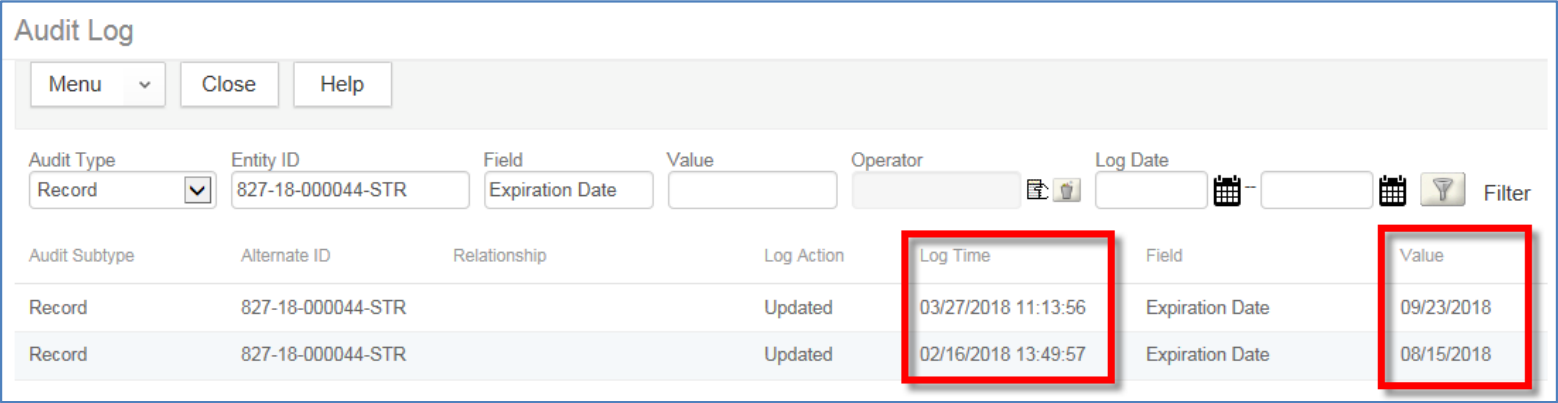
The expiration date value is updated throughout the lifecycle of a permit. You can easily find the history of a record's expiration date by using the Record Details log.
To look up expiration date history:
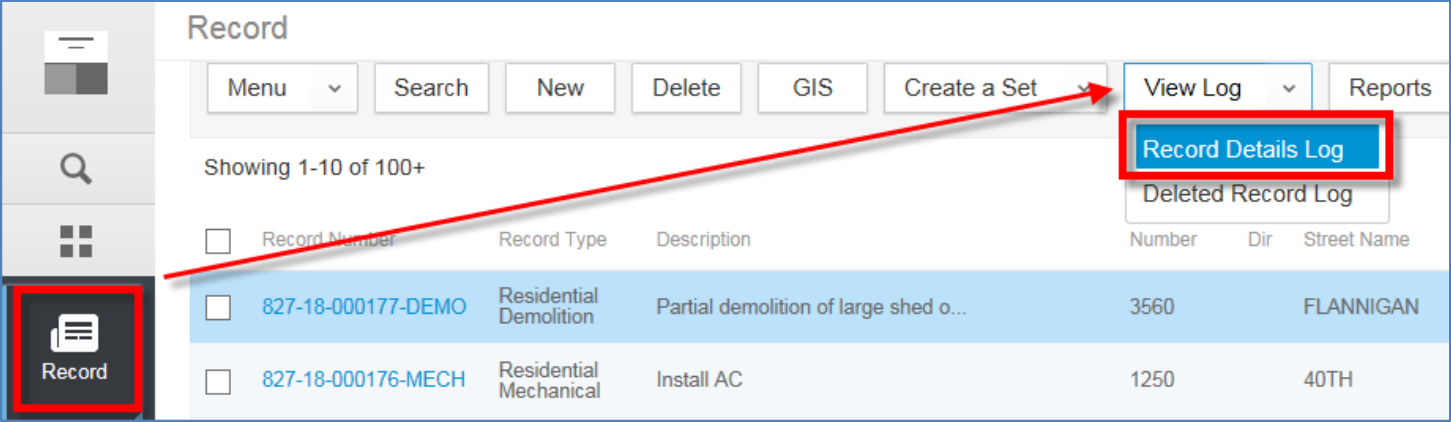
- Select Record from the Accela menu
- Hover the cursor over View Log
- Select Record Details Log
- Enter the following information:
- Audit Type: Record
- Entity ID: record number
- Field: Expiration Date
- Log Date: leave both these fields blank to view the entire history
- Click Filter when finished.

Notice that the Log Time column shows when the Expiration Date was updated, and the Value column shows what the Expiration Date was at that time. In the example below, the record has been updated twice.