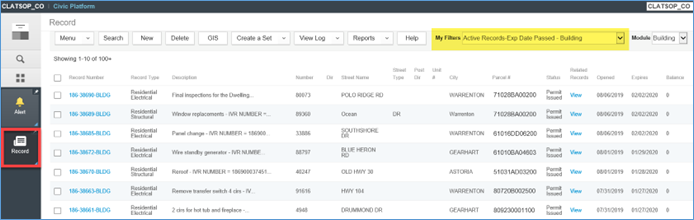
Use the My Filter named Active Records-Exp Date Passed – Building to gather the list of records that need to be expired.
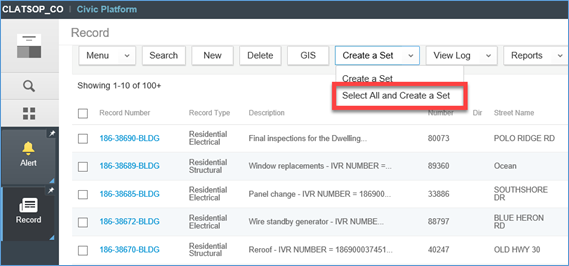
Hover over Create a Set > click Select All and Create a Set.
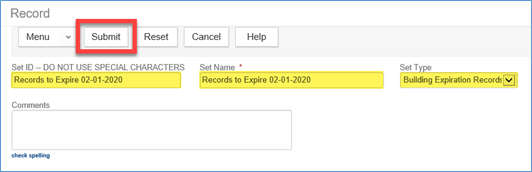
Enter relevant information in the set fields. Make sure Set Type lists the correct module. Click Submit.
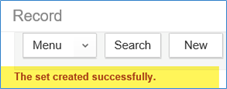
You should see a confirmation that the set was created successfully.
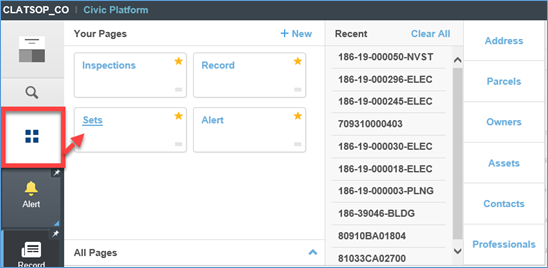
Go to the Launchpad > open the Sets page.
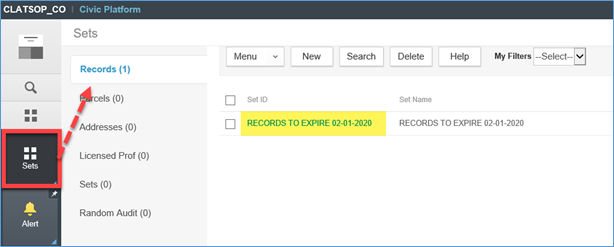
Select the Records tab > click on the Set that was just created to open it up.
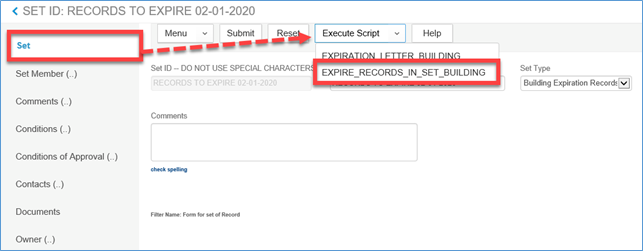
On the Set tab, hover over Execute Script > select EXPIRE_RECORDS_IN_SET_BUILDING.
** Caution: This will mass expire all records in this Set. Be sure that you want to perform this action.
** Note: This process will take several minutes depending on the number of records in the Set. Please do not navigate away from this page in the system until the process has completed. An extra popup window will appear when it is complete.