People reference data includes the following pages:
- Licensed Professionals; and
- Contacts
- Owners (is part of the Property reference data as part of APO - Address, Parcel, Owner)
The State provides a nightly load of CCB and Professional Licensing (Electrical and Plumbing, all types, from BCD). We also load Architects, Engineers, Landscape contractors, MDI (Manufactured Dwelling Installers), DEQ licenses (Onsite system installers, etc.), amongst others, approximately every other month, or as frequently as those license data owners provide it to epermitting.
Licensed Professionals Page
In the ePermitting Model, professional licensing is only validated at intake. As a result of this validation, you may get an error that a contractor license you were attempting to associate to an incoming application, is expired or suspended which means they are not able to be added to the application. Only valid/active licensed professionals can be added to an incoming application. Additionally, if the license has expired insurance the license will not be added to the application.
Receive an error at application or issuance that a licensed professional is not valid
You would confirm the information by checking the actual licensing website (links provided later in document) to determine their current status – if you are able to confirm that they are indeed active, then you can make a temporary update to their people reference record in the Licensed Professional page.
Go to Launchpad > License Professionals, select Search. Input the license number into the CCB License # field or the State License # field, as appropriate – select Submit. A result will be returned, select the license # hyperlink to open the license details. On the ProfessionalDetail tab, you will see the License and Insurance Expiration Date detail – both can be updated as per the source data from the actual licensing body, then Save to save any updates.
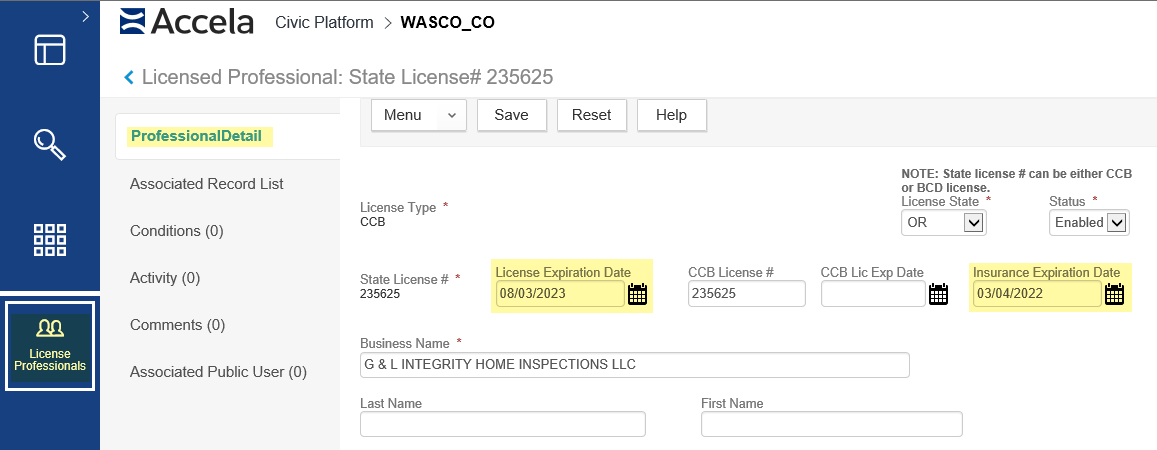
As a result of the frequency of the licensing loads, this updated information may be overwritten with whatever the licensing body provides to us – if the licensing body also has made the update, then your updates will likely remain - but if they have not for any reason, then your updates will be overwritten. In either case, it is highly recommended that you refer the contractor directly to the licensing body to inquire about their licensing information including status, license expiration date, address on file, primary phone, and/or email – as ePermitting does not own or maintain this data. Note, you are also able to update the Address, Primary Phone, and/or Email for immediate use, i.e. printing the permit and/or application, but as mentioned, these are subject to the same risk of being overwritten up and until the licensed contractor makes the necessary changes with the actual licensing body.
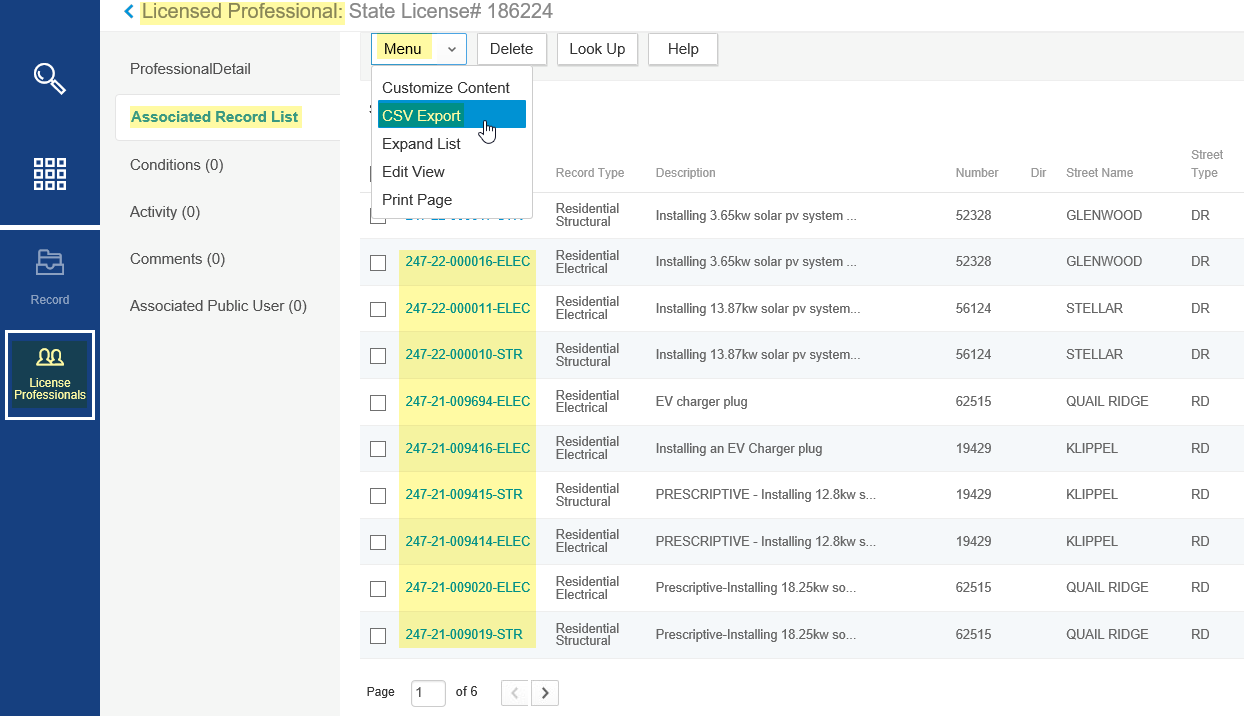
TIP: you can also see the Associated Record List tab from the Professional Detail window which displays all the records this people reference record is associated to. This list can be easily exported by going to the Menu button > CSV Export which will export this list to Excel for further use or editing.
Contact Page
The people reference data included in this page is manually added and managed by the jurisdiction. The Contact reference data is ideal for adding local offices of larger contractors, i.e. DR Horton's professional license lists to their main Portland office, but your jurisdiction might do business with their local office in your city – thus you would add their local business office as a Contact.
Note: the State might have done an initial load of contact data from your prior system at conversion, if it had been requested.
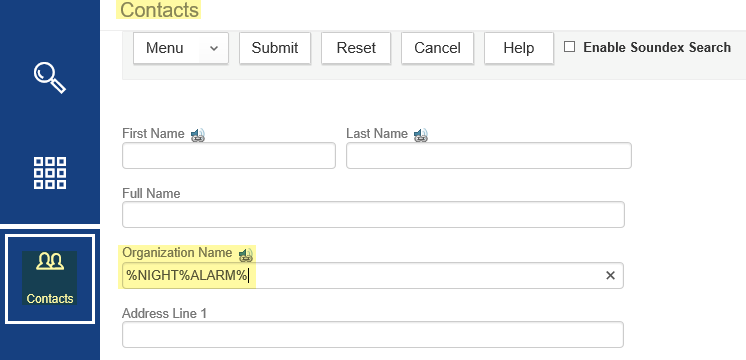
Before adding a new contact people, select Search and input part of the Full Name or Organization Name surrounding by “%", select Submit. The “%" is a wildcard and will allow you to do more generalized, effective searching, i.e. %NIGHT%ALARM% for Nighthawk Alarm Services.
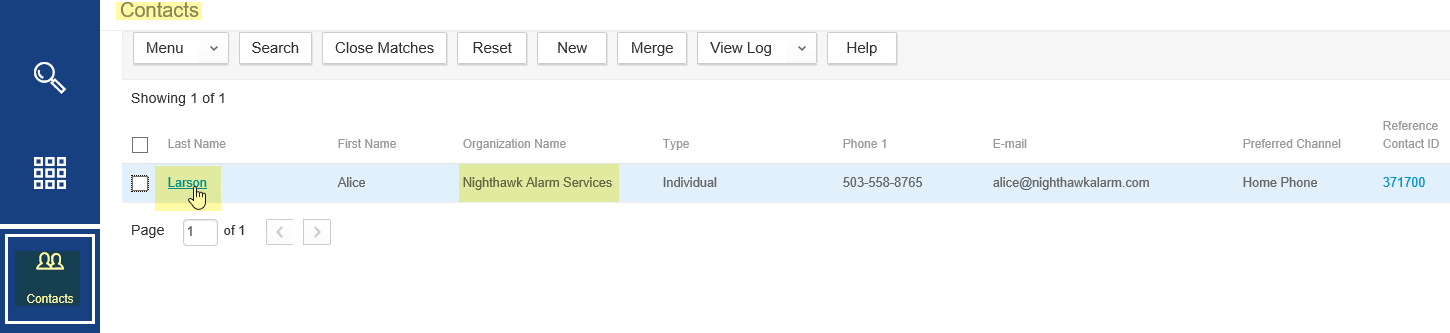
If a match is found, a result will be returned – select it, a tabbed Contact Detail window will load and you can make updates here as needed. If NO match is found, select NEW and add the new contact information as indicated. The information you input for Contacts is your own and for your jurisdiction to maintain.
Licensing Websites
Here are the websites to save as 'favorites' in your web browser to do license lookups for most of the applicable license types: