Coming Soon: Oregon ELMS
The Department of Early Learning and Care (DELC) will replace existing licensing and subsidy (ERDC) tools with an enhanced system that can be used from a computer, tablet, or mobile phone in your preferred language. The new system is called Oregon Early Learning Management System (Oregon ELMS).
Providers told us they need more time to prepare, and our system partners asked for more time to learn the new platforms so they can support you along the way. In order to be responsive to this feedback, we are moving to a phased launch of the system. DELC staff and some system partners will start to use select features of Oregon ELMS this fall. System partners and child care providers received an announcement about this change directly this month.
Oregon ELMS for Child Care Providers
Direct Deposit Submission Form
This form is for child care providers who currently receive their subsidy Employment Related Day Care (ERDC) payments by direct deposit. If you would like to continue with direct deposit under Oregon ELMS complete the form below.
If you need support, contact DPU at 1-800-699-9074.
Current Direct Deposit Recipients Click Here to Access the Direct Deposit Submission Form
View letters sent to all child care provider types (all PDFs):
- Use one secure account to work with DELC in their preferred language
- Keep contact details, documents, and payment information in one place
- Submit and track licensing applications
- Check the status of Central Background Registry (CBR) applications
- Bill for subsidy (ERDC) payments and view payment notifications
- Track training requirements
- Receive clear, timely messages from DELC
How to get ready for Oregon ELMS:
Pre-Registration for Providers is now closed. There will be additional opportunities for Oregon ELMS users to register in the future. More details are coming soon.
Before Oregon ELMS is fully available, we ask providers to pre-register their account. Pre-registration sets up your login so you are ready to go when the system is available. Visit elms.oregon.gov to get started.
By pre-registering, providers can:
- Set up login information for the Oregon ELMS system
- Check and confirm email address
When Registration Window is Open:
Look for a letter in the mail and email from DELC with your personal registration code.
-
By email: If DELC has your email on file, your code will arrive by email.
- The subject line will say: Your Oregon ELMS Registration Code — Action Needed.
- The email will include your code and a link to the Oregon ELMS portal, along with step-by-step instructions to pre-register.
-
By mail: DELC will also mail your code to you.
- The letter will include your code and a QR code that links to the Oregon ELMS portal, along with step-by-step instructions to pre-register.
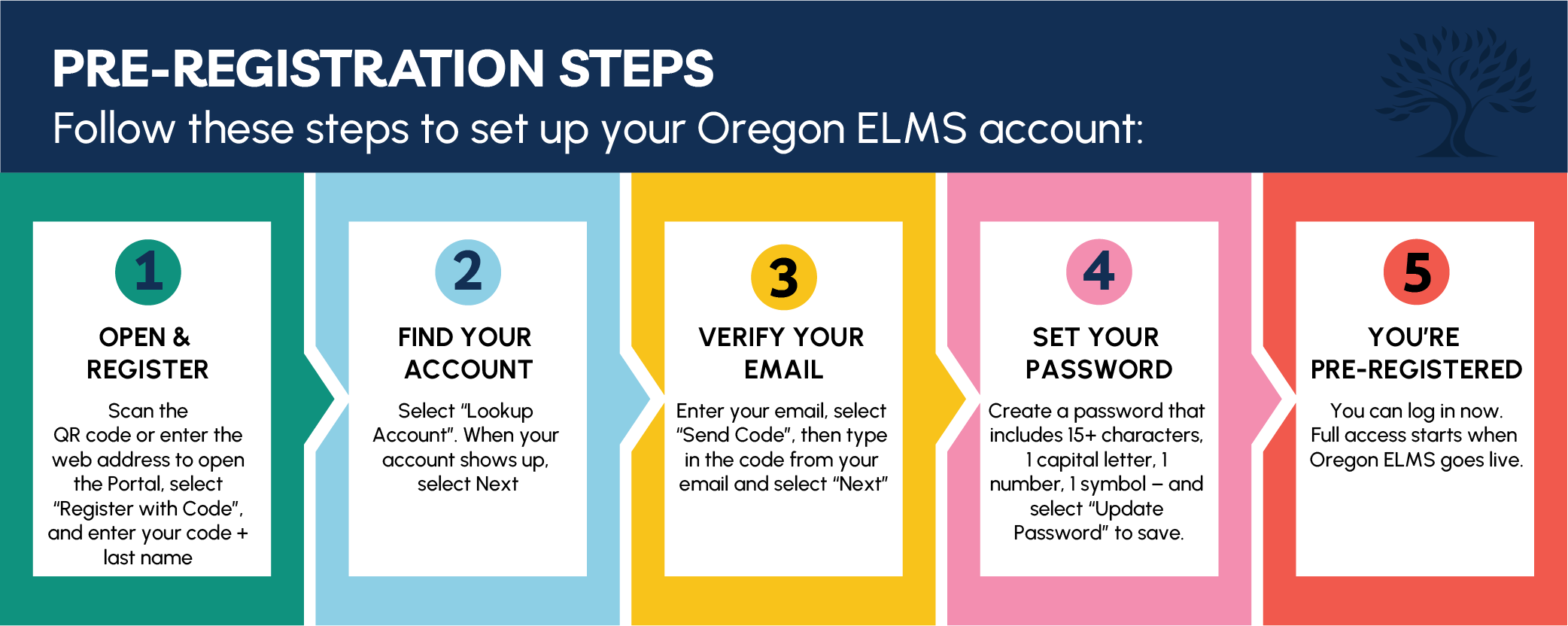
Follow these steps to set up your Oregon ELMS account:
1. Open and Register
Scan the QR code or enter the web address to open the Portal, then select "Register with Code" to enter your code and your last name.
2. Find Your Account
Select "Lookup Account." When your account shows up, select "Next."
3. Verify Your Email
Enter your email and select "Send Code." Type in the code from your email and select "Next."
4. Set Your Password
Create a password, then select "Update Password" to save. Passwords must contain at least 15 characters, 1 capital letter, 1 number, and 1 symbol.
5. You're Pre-Registered
You can log in now. Full access starts when Oregon ELMS goes live.
Provider Training
Optional Oregon ELMS training will be available through the Oregon Online Training Calendar. These sessions will be:
- Free
- Online and easy to join
- Optional, so you can pick what topics and times work best for you
- Able to count toward training hours in Program Management
Training sessions will cover a variety of topics and be offered multiple times to accommodate your schedule. More details will be shared soon.
Stay connected with DELC
DELC will share updates by email, mail, the DELC website, and the
Child Care Updates newsletter.
To sign up for the Child Care Updates newsletter, enter your email and select “Community Newsletter and Child Care Updates (CCU)” for general DELC news updates.
Subscribe to Child Care Updates
Questions or feedback? Please contact the Child Care Licensing Division: 1 (800) 556-6616 or
ccld.customerservice@delc.oregon.gov.
Return to top
Oregon ELMS for Families
Oregon ELMS makes it easier to stay on top of your child care information once your information is preloaded from the ONE system. With Oregon ELMS, you will be able to:
- Use one secure account to work with DELC in your preferred language
- Check your child care subsidy (ERDC) status and case information
- See your child care placements and provider connections
- Receive messages from DELC
Return to top
Oregon ELMS for Individuals Enrolled in the Central Background Registry (CBR)
Right now, background registry information lives in older systems that are harder to access. Oregon ELMS brings it all together. With Oregon ELMS, you will be able to:
- Use one secure account to work with DELC in your preferred language
- Check the status of your Central Background Registry (CBR) application
- Keep your contact information up to date in one place
- Receive clear, timely messages from DELC
We Are Here to Help
Questions? We are here to help:
Phone: 1-800-556-6616
Email: ccld.customerservice@delc.oregon.gov
ccld.customerservice@delc.oregon.gov
Return to top