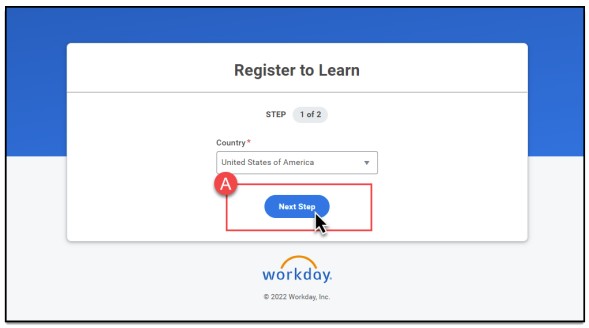
Select the Country, then select Next Step
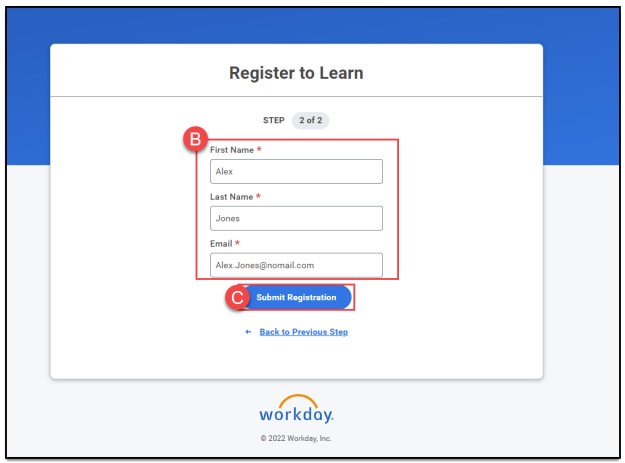
Enter your First and Last Name and E-mail address, then select Submit Registration*
*If Workday determines that you already have an account, you will receive an e-mail notification with the next steps.
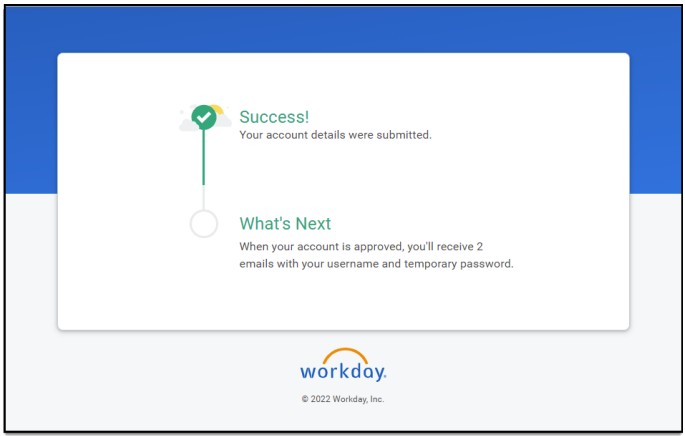
Success Confirmation Screen
Sign into your Workday Learning account
You will receive two emails, either:
- Two from Workday, one with your Username and one with your temporary password.
- One from Workday with your temporary password and one from the agency reviewer with your Username.
Once logged into Workday, follow the instructions provided in Workday.