A Permit Fee Retention can be charged by an agency as a way to recoup the cost of work already completed on a permit (i.e. inspections) that ends up being withdrawn by the applicant. The Permit Retention fee differs from an administrative Refund Processing fee as it is the retention of a portion of the paid permit fee for work already completed, such as Inspections. The Oregon Standard Model has the Permit Fee Retention broken out into three standard percentage rates to assist with this. Additional percentage breakdowns can be configured upon request.The Permit Fee Retention process precedes the consideration of any refund and because it is the retention of actual permit fees, there for it invokes State Surcharge, which is based upon the percentage of the total amount of permit fees retained. Note: Retention of Plan Review fees are not subject to State Surcharge.

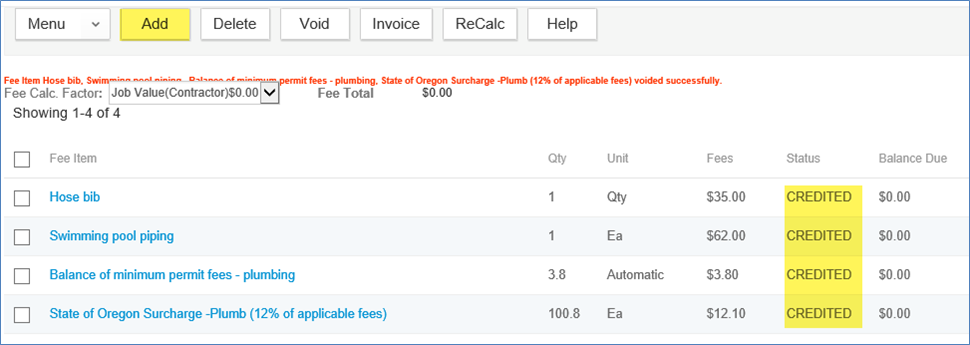
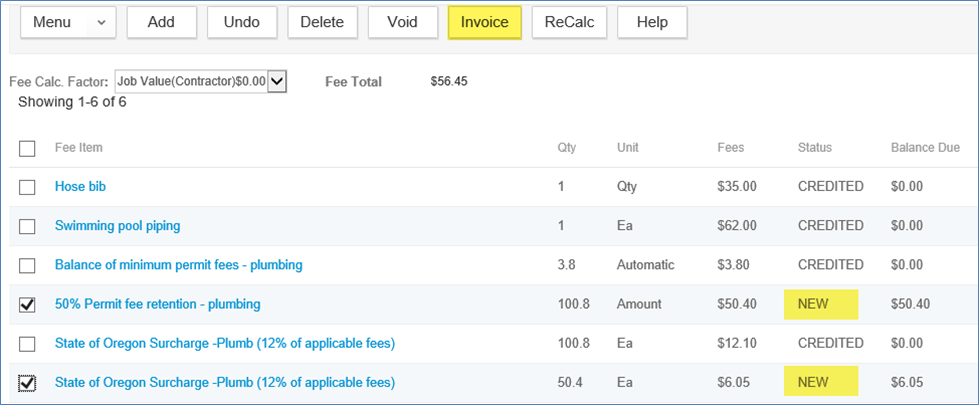
- To process the Permit Fee Retention, go to the Fees tab in the record navigation. Select the applicable permit fees that have been invoiced and paid, and void them to credit if they have not been credited already.
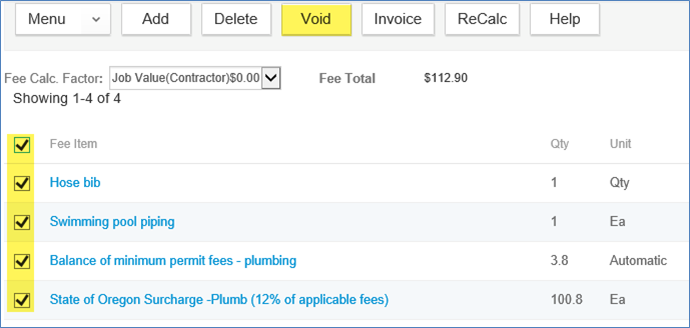
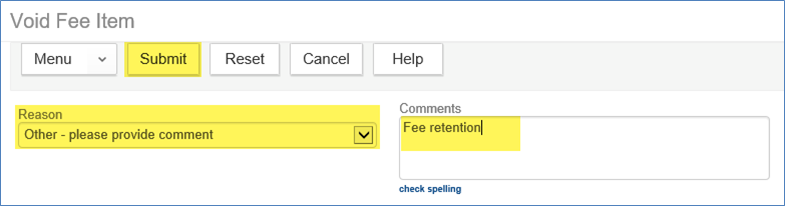
- The click the Add fee button.
- Locate the Permit Fee Retention with the percentage of the permit fees you plan on retaining.
- Enter the total amount of permit fees in the Quantity Box, that were paid and are eligible to be potentially refunded,
excluding previously paid State Surcharge.
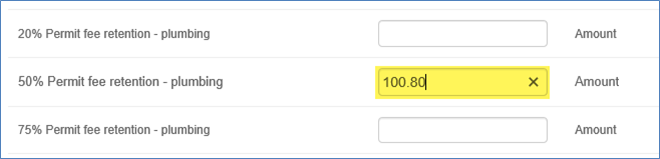
- Click Submit – the Permit Retention fee will calculate the percentage at the rate you selected and will automatically recalculate State Surcharge at 12% of what is being retained. Invoice the new Permit Fee Retention and State Surcharge fee items.
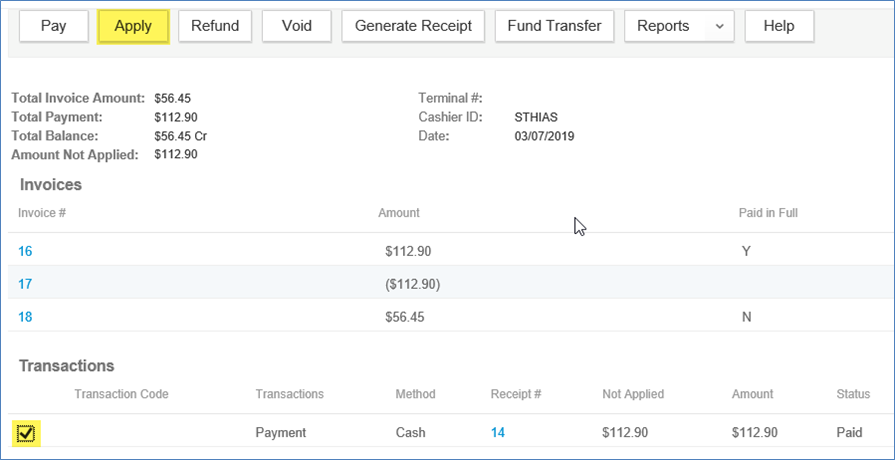
- Go to the Payment tab. Note that you now have unapplied fees, from voiding the permit fees to credit, in the Amount Not Applied. Checkbox the source payment in the Transactions section that shows a Not Applied balance (transactions appear at the bottom of the Payment screen). Select the Apply button to now reapply these monies.
- Apply the monies to the Permit Fee Retention and the State Surcharge that are showing an outstanding balance. Consider paying any other fees that still show an outstanding balance if the work has already been performed – if it is not appropriate to pay any other remaining unpaid fee items, void them prior to beginning the next step in the Fees tab to show they are no longer applicable.
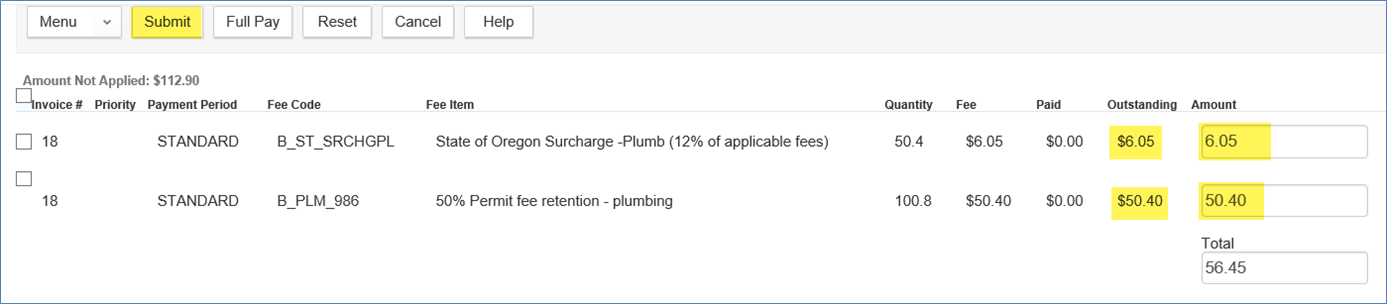
The Amount Not Applied balance that is remaining is what is then eligible for the agency to refund to the customer.
Refer to
How to complete a refund.