Return a credit card payment directly in Converge
Converge/Elavon is the payment processor for the Accela Customer Access (ACA) website in ePermitting. All online credit card transactions go through this processor. Participating agencies can also elect to use Converge to process their over-the-counter (OTC) credit card (CC) transactions as well – please note, this requires configuration. When a customer has requested a refund, if the payment was processed online or OTC using Converge, an agency can choose to refund the customer direct to their credit card via Converge. Refunding direct to the card saves the agency from the internal costs of processing a refund via check (check run, processing time, postage and supplies, etc).
Converge Steps to Settle Batch:
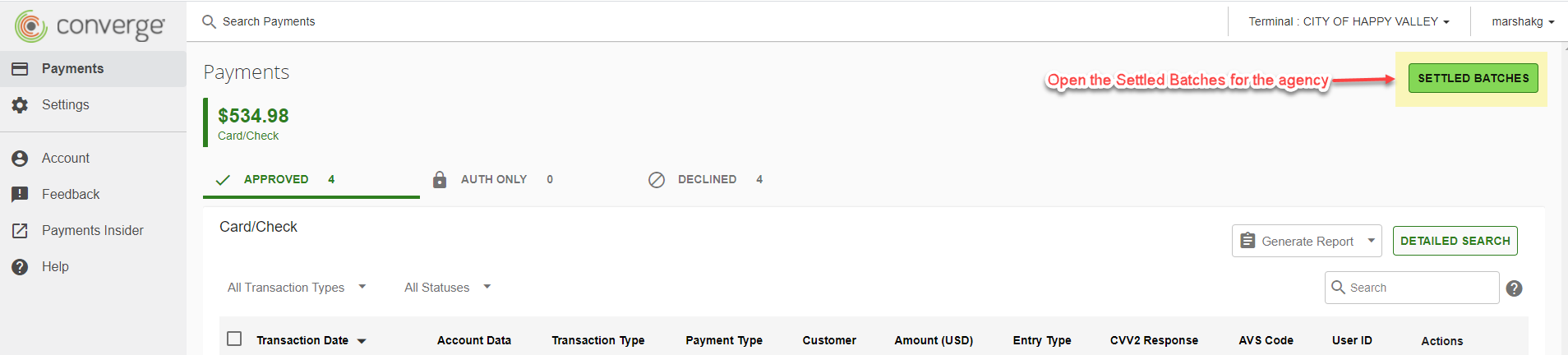
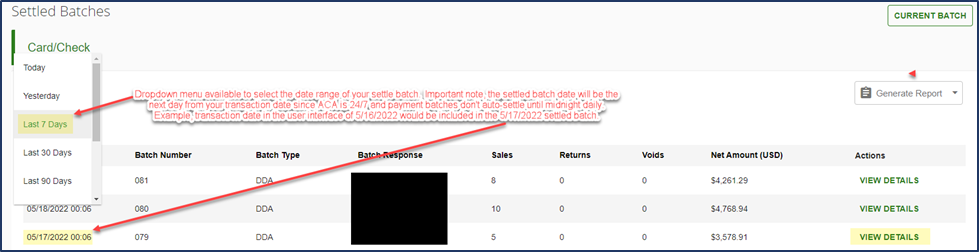
- Log in to Converge for your agency. Go to SETTLED BATCHES to locate the settled batch that the transaction you will be refunding is located in [date it processed +1 generally – since ePermitting is 24/7, batches auto-settle just after midnight which is next day].
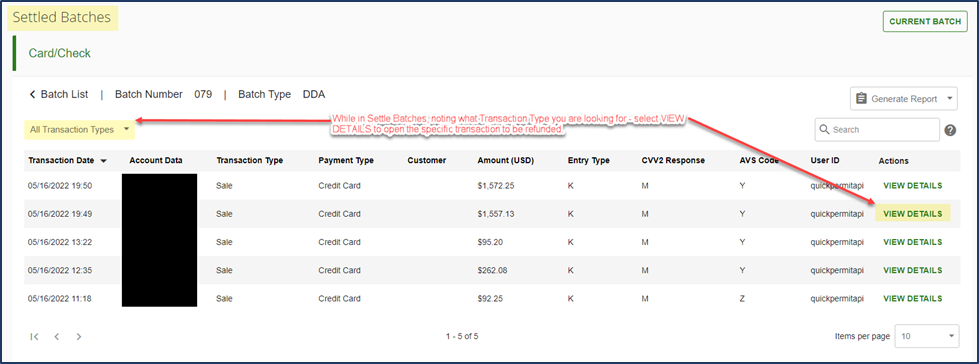
- Once in Settled Batches, make sure to select the time range for the settled batch date you are looking for. Open the settled batch by selecting VIEW DETAILS for the batch date you want. Then locate the transaction you wish to refund – making very sure to confirm the credit card number, the payor name, the amount, and the approval code as indicated in Accela. Many transactions are for the same amount (minimum permit fee amount), so confirming you have the correct transaction, for the correct date, and approval code is imperative. Select VIEW DETAILS again to open the specific transaction you wish to refund on.
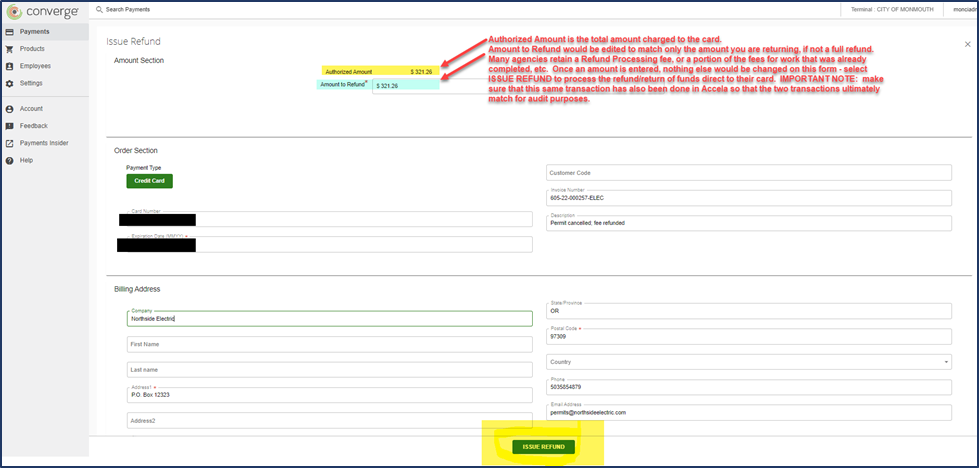
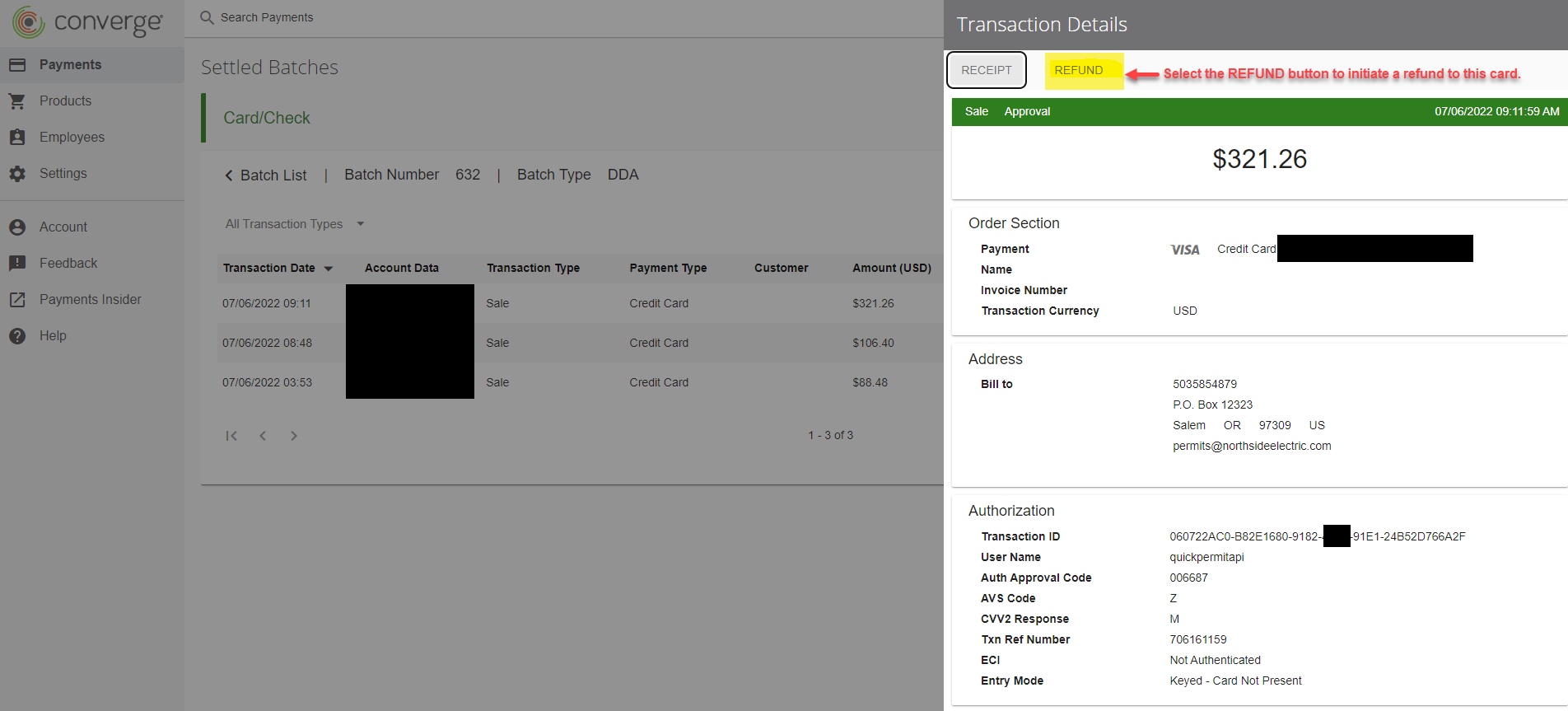
- Once you have the specific transaction open, you will select Refund at the top of the fly-out window (in the green banner). The fly-out window will refresh and you will note that the amount field is editable at this point.
- Once the window refreshes to the ISSUE REFUND window, edit the Amount to Refund to be the amount you are actually refunding, if not a full refund. As per the note indicated on the screenshot, many agencies retain a Refund Processing fee, or a portion of the fees for work that was already completed, etc. Change nothing else on this form and select ISSUE REFUND to complete the process.