Inspections can be rescheduled upon customer request, or if the agency has too many inspections scheduled for a given day.
To reschedule an inspection:
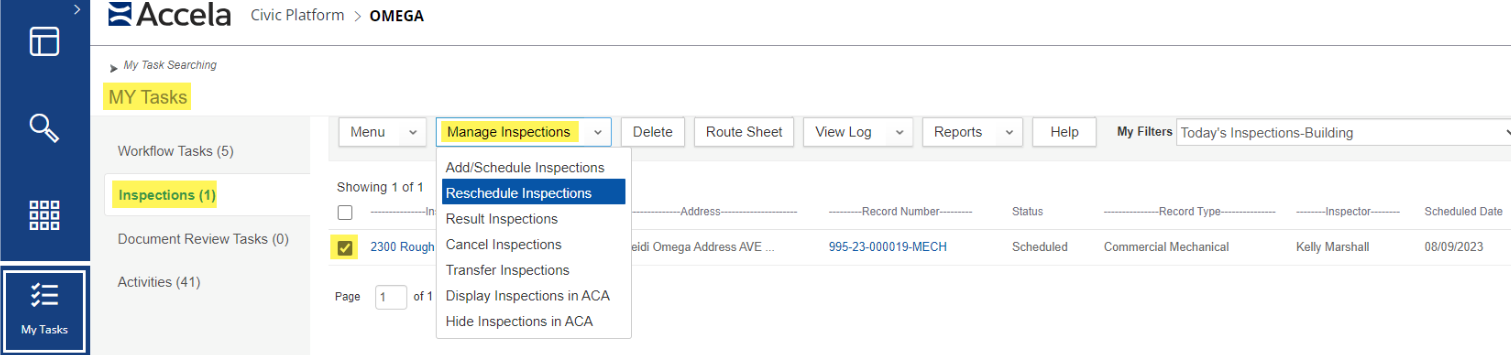
- From the My Tasks page, select Inspections
- From My Filters, select the appropriate filter
- Checkbox the inspection that needs to be rescheduled
- Select Manage Inspections > Reschedule Inspections
- Select the new date
- Select Submit
Rescheduling notifications
Accela does
not provide the option to send automated emails or notifications when the inspection is rescheduled. This feature has been suggested to Accela for a future update.
Consider calling the inspection contact, or sending them an adhoc email from inside the record, to notify them of the new date and reason for the rescheduling.
For more information aboutl resulting inspections, see the article Resulting inspections so your trips count.