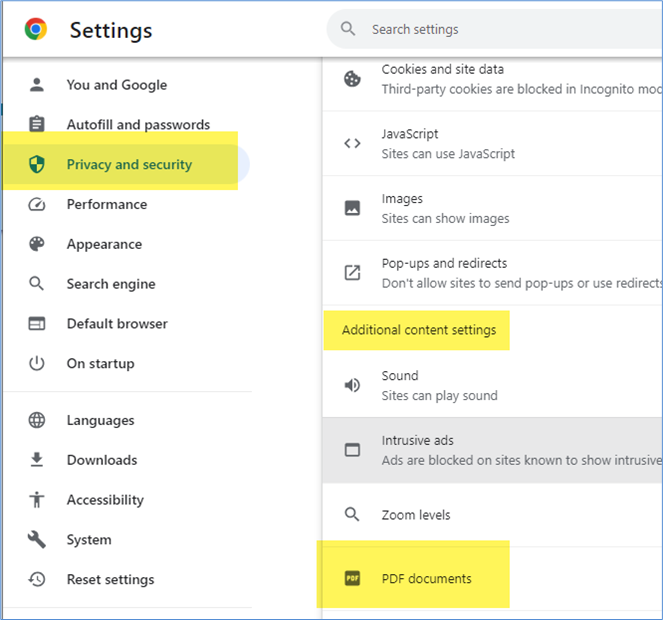
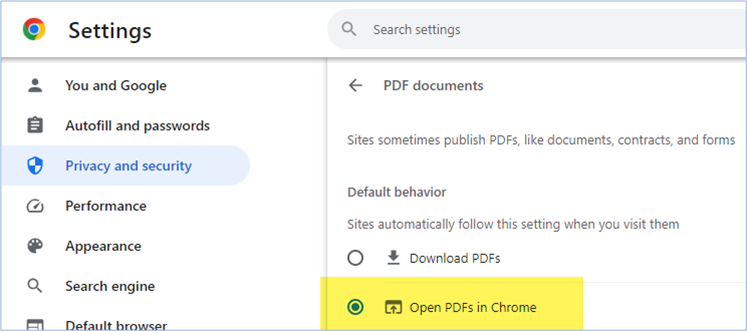
To successfully view PDF files within Civic Platform without receiving the Adobe Reader prompt, users must adjust the default behavior of Chrome to open PDFs directly instead of downloading them.
- Go to Chrome Browser.
- Navigate to
Settings > Privacy and security > Site settings > Additional content settings > PDF documents.
- Select the option
Open PDF in Chrome.