Manufactured (MFD) and RV Park development requires a permit called an ‘Area Development
Permit’ or ADP. Whenever a new park, additions to an existing park, or alterations to an existing park are made – a park permit is required. Even if an agency no longer allows MFD or RV Park construction in their jurisdiction, say through Planning ordinance/code, if any work is done on existing parks, this permit would still be required.
Referring citation(s): OAR 918-600-0030 and OAR 918-650-0030
Valuation of the park must first be determined and there is a State-required methodology for doing this (Table 2 in both citations referenced above). The Accela intake for this record type, collects the Park Type, Number of Acres, Number of Existing Spaces, Number of New Spaces, Number of Altered Spaces, Total Number of Spaces at Completion (note, other application specific information is also collected including estimated contractor valuation) – all which are required in order to perform this valuation calculation. The Applicant must also have submitted the Park Class type (A/B/C – these are defined in rule) – note, when a park contains spaces in more than one class, figure the spaces in each class; then add them together to obtain the total valuation for the park.
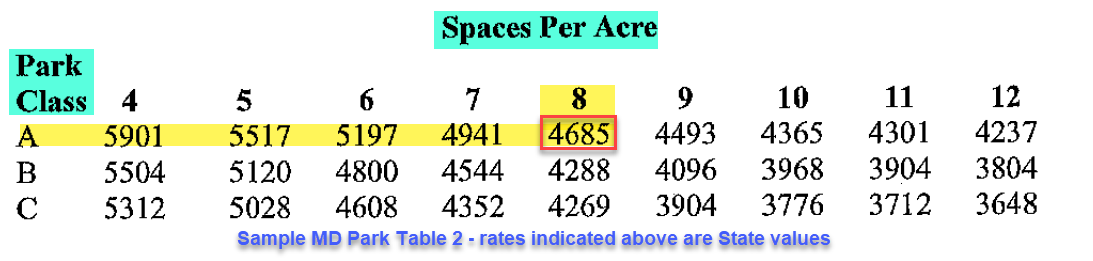
Using the above table, with a sample application for a NEW Class A MFD Park with 30 spaces on 4 acres – the math for valuation would be as follows:
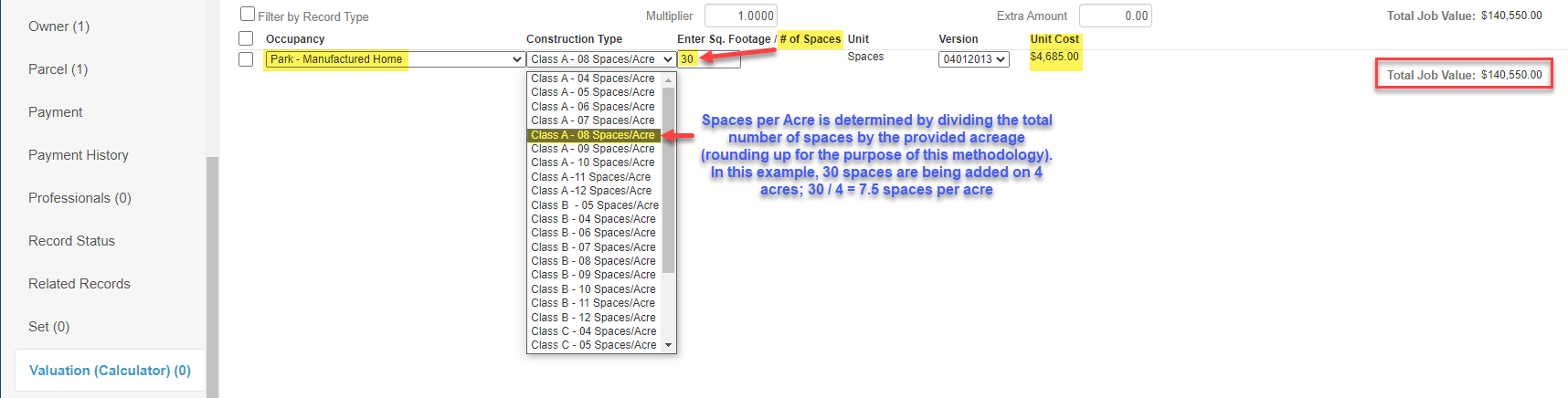
- 30 spaces / 4 acres = 7.5 spaces per acre (round up for the purpose of applying this table).
- 30 Class A spaces x $4685 per space (as per above table) = $140,550 valuation.
- This valuation is then applied to Table 1 of the same citation to determine the permit fee.
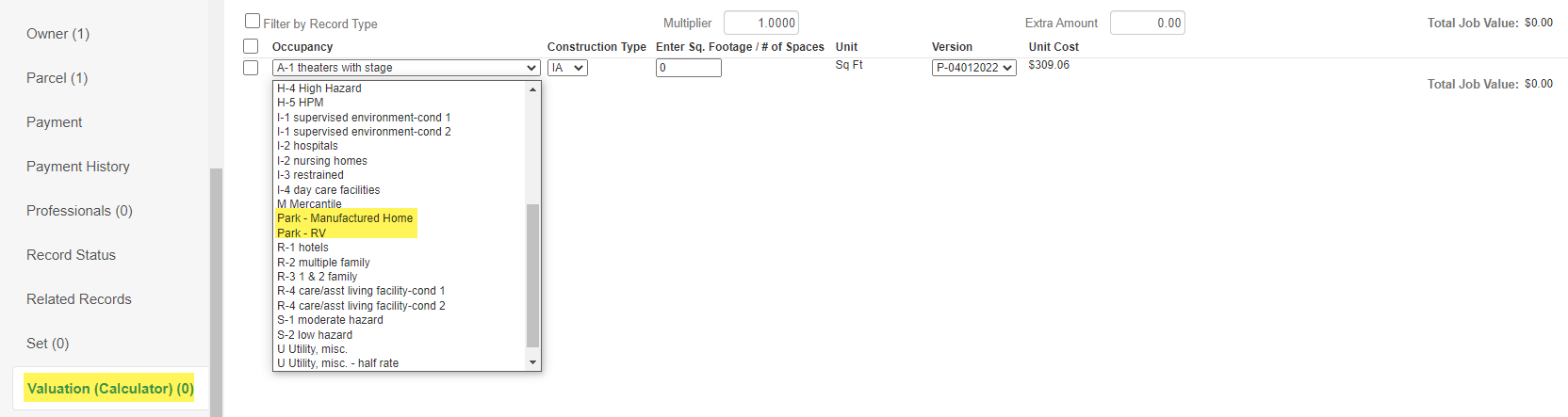
All of the above calculations are accomplished in Accela by using the Valuation (Calculator) – use of the calculator (not contractor submitted valuation) is required in order to meet methodology requirements on this permit type.
Select the
Park Type under Occupancy:
Select the
Spaces per Acre under Construction Type:
Once a valuation is determined using the
Valuation Calculator (Table 2 methodology) – you will go to the FEES tab on the record. Fees will have automated with creation of the record but will have used the Valuation Contractor – on the FEES tab, you will need to flip the Fee Calc Factor to the Valuation Calculator for accurate calculation of the fees.
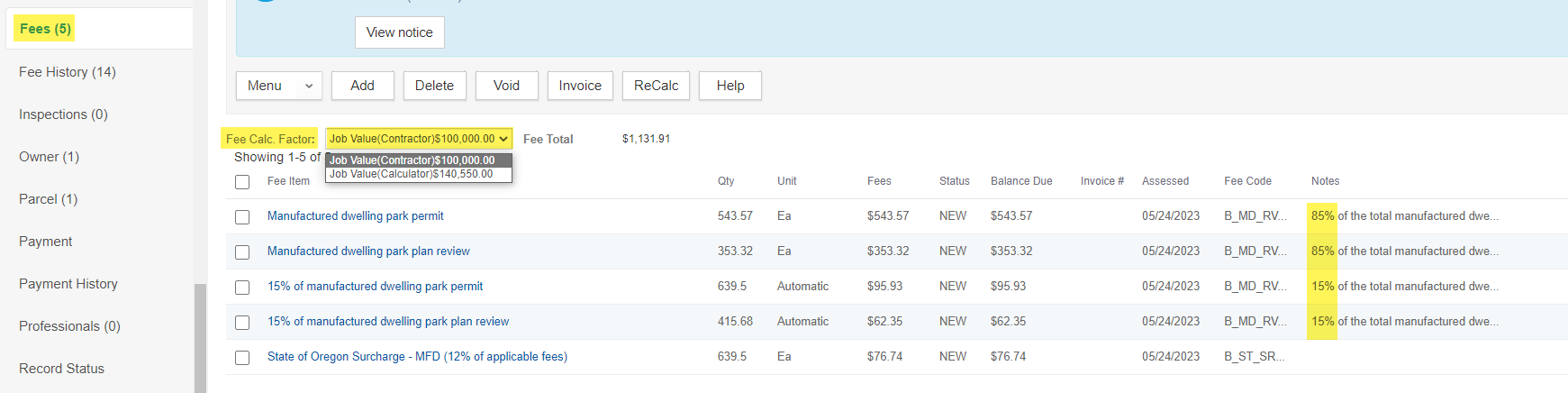
Upon changing the Fee Calc Factor to Valuation Calculator, the fees will automatically recalculate.
Important Note: the assessed fees are scripted to be automatically split into 85% and 15% as per statute (ORS 455.170(2) and ORS 446.430(2)) – where the 15% portion is remitted to the State through the State Surcharge process each month, therefore is included on State Surcharge reporting. This 15% remittance is used to provide informational material necessary to maintain a uniform state program. The 85% portion is retained by the permitting agency.
Fees are calculated from a configured back-end fee formula in Accela (as per Table 1 rates and method). If your fees to not appear to be calculating correctly, please submit a
ePermitting Help Desk ticket to request a review of this rate formula.