As more agencies join ePermitting we are seeing an increase in Standalone Records vs. Combo Permits and we are seeing a few issues come about from this, so we wanted to provide some information about functionality to help agencies decide what the best record type really is for their situation.
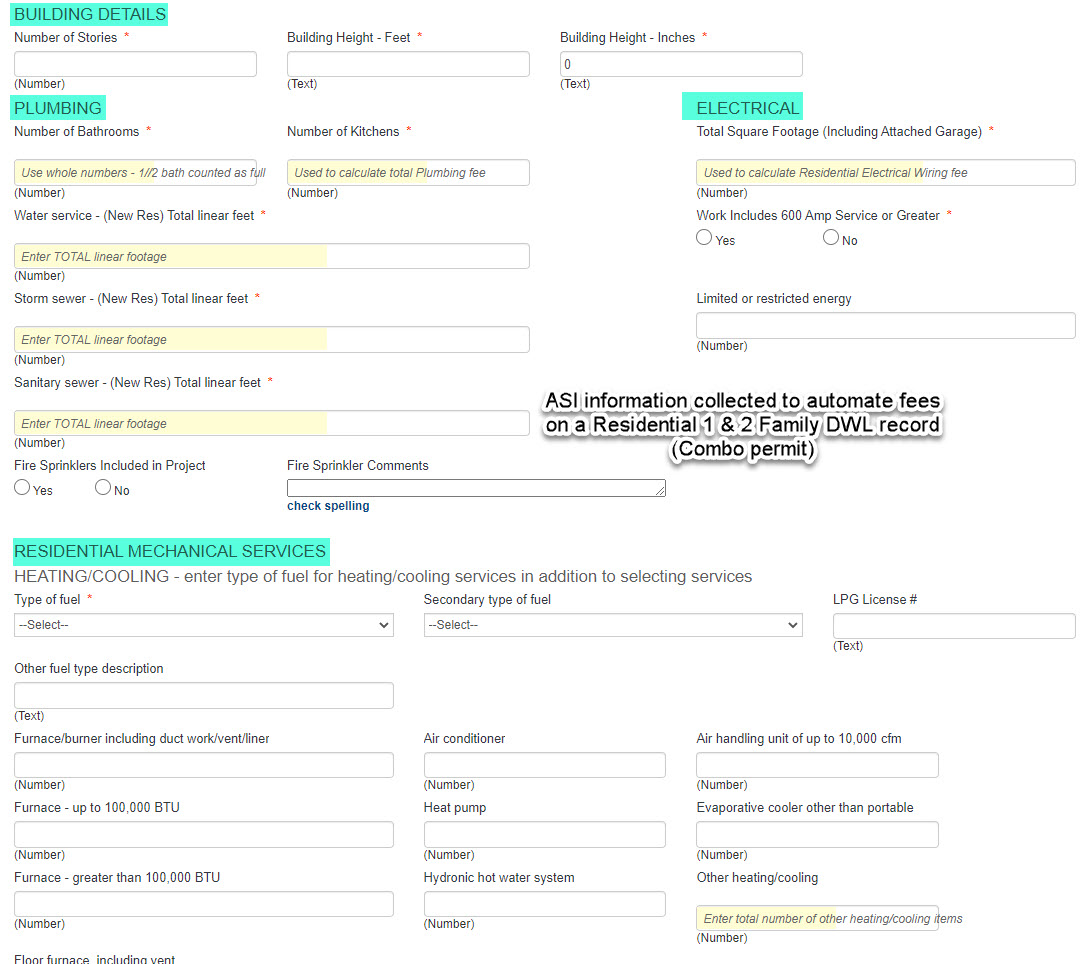
Residential 1 & 2 Family DWL record (combo permit):
When you create a Residential 1 & 2 Family DWL the application has all of the Structural ASI (Application Specific Information) available but also has ASI for the trades you provide services for. For example if you offer Structural, Mechanical, and Plumbing Services, but you do not offer Electrical the application will have ASI for Structural, Plumbing, and Mechanical only. By providing the ASI in a combo permit the system will automatically add any related fees to the ASI selections for all of the trades you offer and when it comes to inspections the customer can select from ALL inspections so they can have each trade inspected on one permit and making it easier for the inspector to see all of the inspections completed for the project in one place.
Note: Residential 1 & 2 Family DWL permits are combo permits intended for only brand new homes not additional work being done to an existing home.
Standalone Records:
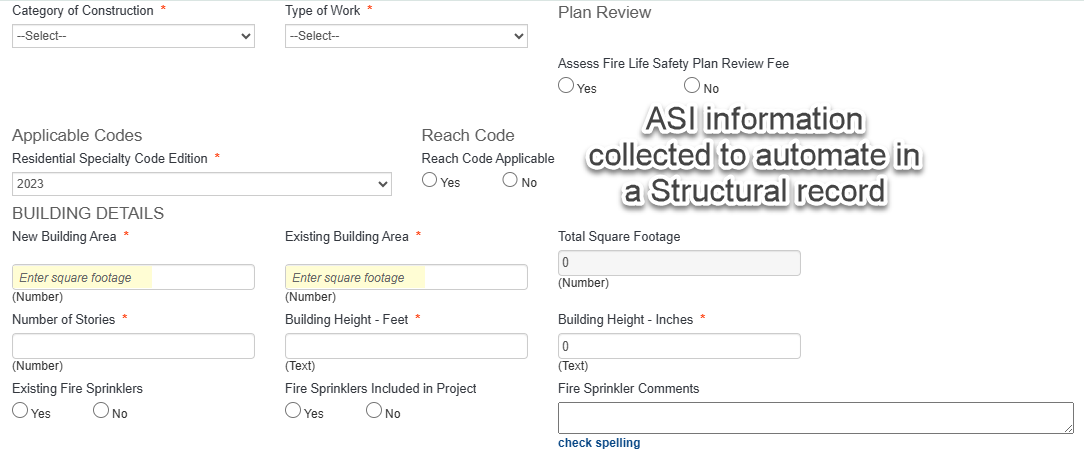
The Residential or Commercial Structural record type is not designed to function as a combo - the fee scripting is not setup in this way to automate the correct fees particularly fees that require ASI input as the required ASI would not be available in the Structural record for the trades; none of the inspections associated to the trades are available for customers to schedule from any of the 4 scheduling tools available to them (ACA and apps); and the permit document produced from a Structural record does not cover the permits from the trades as it is written only as Structural permit – not Mechanical or Plumbing.
Additionally, all the standard reports do not count this one standalone record type as all 4, so your permit count would be severely under-reported. As well, the State Surcharge report is only counting permit fees paid, it does not even look at State Surcharge fees especially where permit count is recorded, so this could become problematic as well depending on how fees are assessed.
The easiest way to accommodate Residential Structural work that is accompanied by trade work is to create the Structural parent record, then clone it x2 to quickly create your Mechanical and Plumb child records. Thru the related record cloning process, the 2 trade child records will have the same record number as the parent Structural. Keep in mind too, that on ACA – the Structural record is not at all portrayed as a combo record, the customer is prompted to apply for Mechanical and Plumb separately, and so the permits/applications for the trades very often are pulled and immediately issued online where the Structural app is app only (does not auto-issue) which is a huge convenience to the trades contractors – there permits often do not require plan review but if they are being 'bundled' in with the Structural application, now they are waiting for issuance once the Structural plans have reached plans approval which is unnecessary.