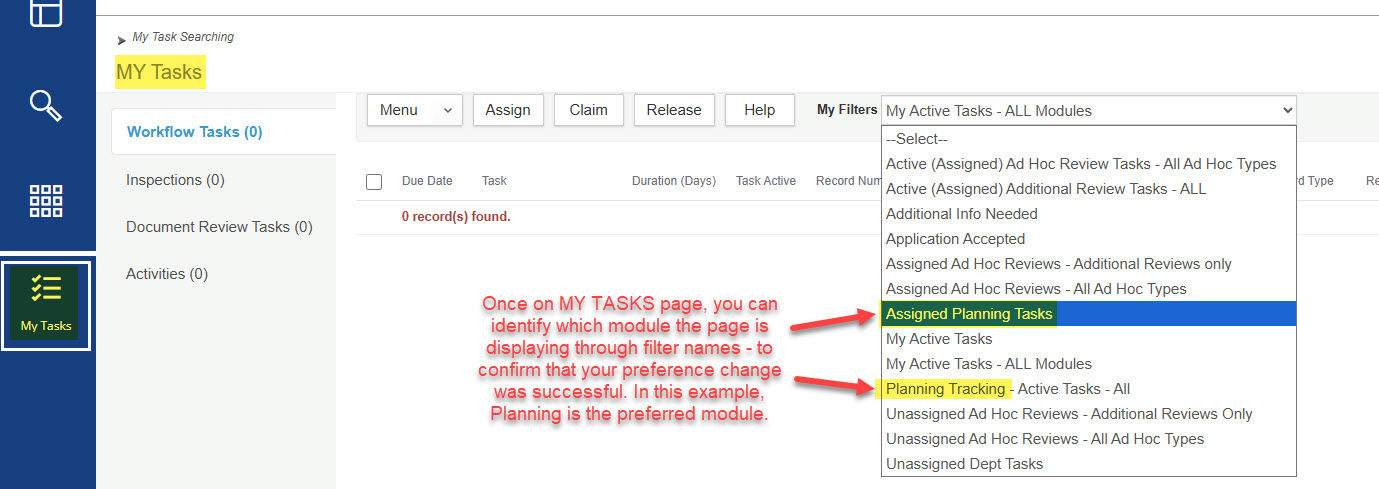
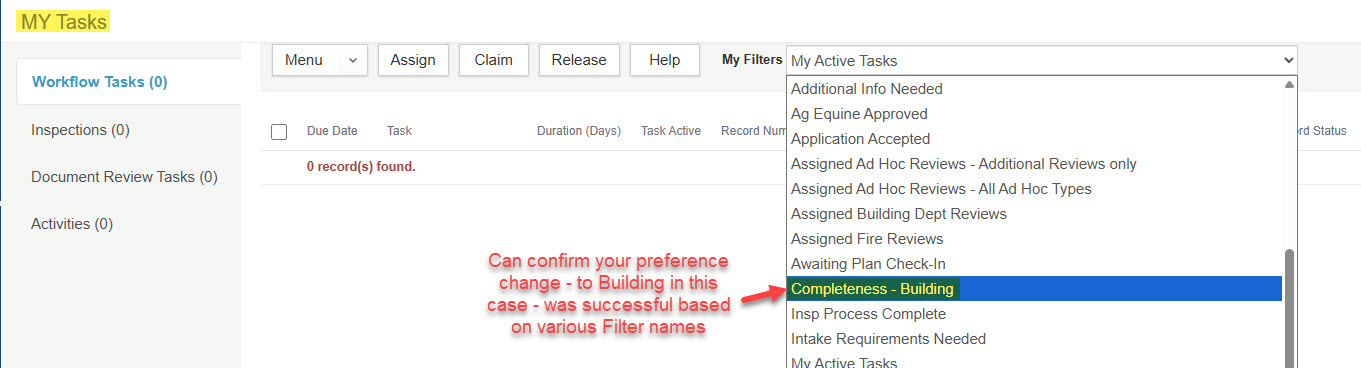
Setting your preferred module directly determines what you see (or don't see) in various pages where a Module dropdown is not available - MY TASKS and INSPECTIONS in particular. These two pages do not have the Module dropdown available to them as the RECORD LIST does, so they only display data as per your preferred module selection.
Seeing all of your assigned items as a user, across modules, is key so that you are not unknowingly missing anything assigned to you or others (Inspections, Workflow tasks like Plan Reviews, and Activities).
To change your default module follow these steps:
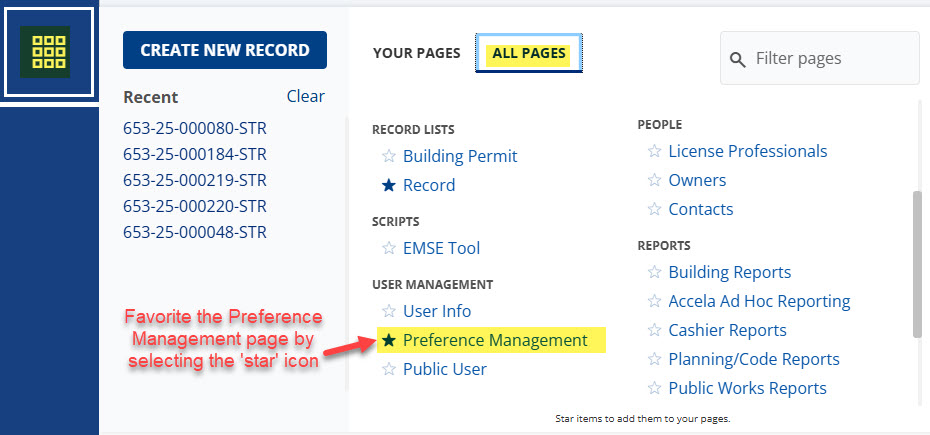
- If you haven’t already, locate and favorite the Preference Management page – Launchpad > All Pages dropdown list > favorite the Preference Management page to add it to your Launchpad group or Your Pages.
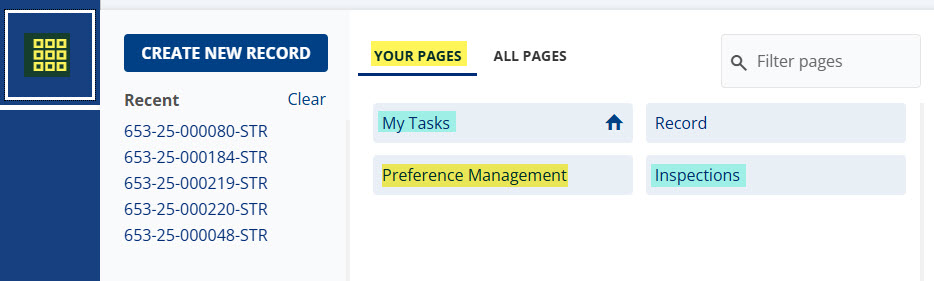
Other recommended pages for your Launchpad group might also be My Tasks and Inspections – these two pages do not have the Module dropdown available to them as the Record list does, so they only display data as per your preferred module selection. Seeing all of your assigned items as a user, across modules, is key so that you are not unknowingly missing anything assigned to you or others (Inspections, Workflow tasks like Plan Reviews, Activities).
- When selecting a Preferred Module, you will only see those modules that you have permissions to. For example, if your user does not have any user permissions for Planning, you will not see the Planning Module as an available selection in the dropdown. Once you select a Preferred Module, you must do a hard refresh - this is important so that all impacted pages will refresh to show data for your preferred module selection. Note, the hard refresh will close all open pages and records - but any records should be listed under Recent Records for you to quickly reopen them if needed.
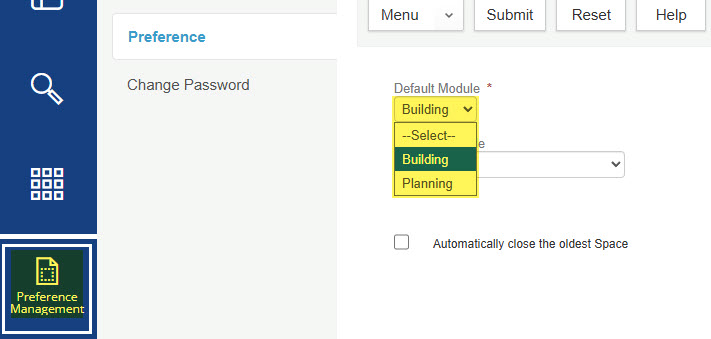
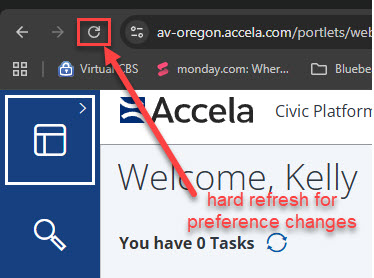
- Once a Preferred Module is selected and hard refresh is comnplet you can open various pages –
My Tasks (and
Inspections) are pages that rely on your module selection, for example.
MyTasks page – filters and data can help you confirm that your preference change was successful, and you are now seeing information for the module you selected. Toggling back and forth in preference may be necessary each day if you are a person that might be assigned work in different module such as inspections an/dor plan reviews.