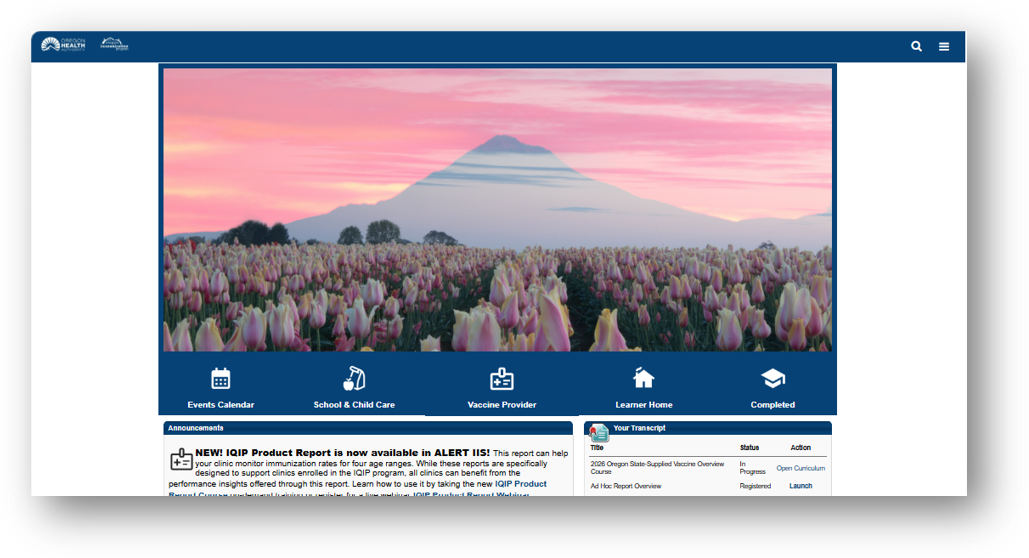
The Oregon Immunization Programs uses the Training Portal to host Vaccine Provider and School/Child Care trainings. All users can self-register to create an account.
Creating an account
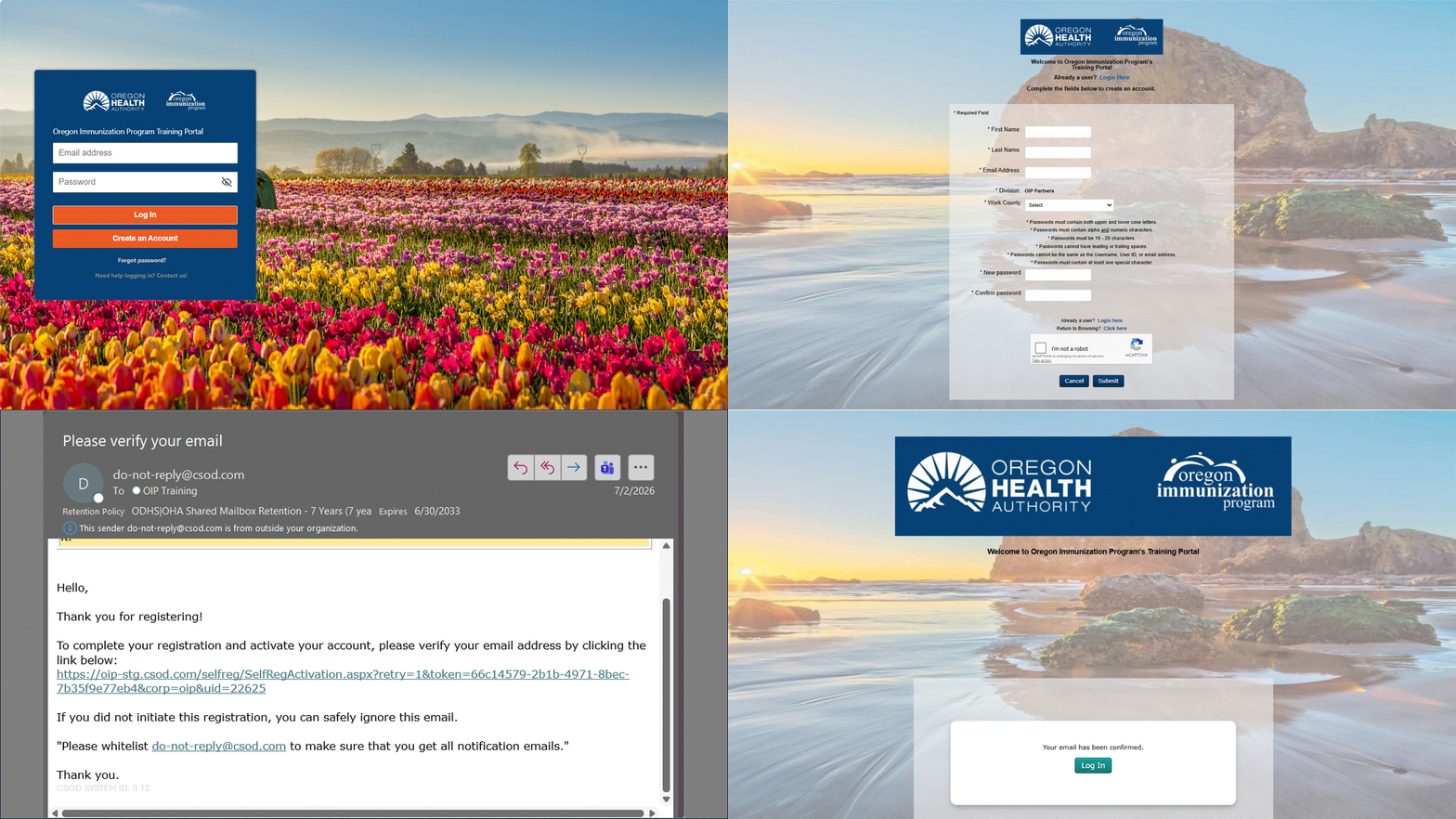
- Go to
oip.csod.com.
- Click on “Create an Account".
- Fill out the form.
- You will receive an activation email. Click on the link in the email to confirm your account. It may take up to 15 minutes to receive an email.
- Go to
oip.csod.com and login with your email address and password.
How to find your certificates
You need to keep your certificates as proof of course completion. The OIP Help Desk, Site Visitors, or other OIP Staff may request your certificates. We recommend and in certain cases require you to keep your certificates for three years. 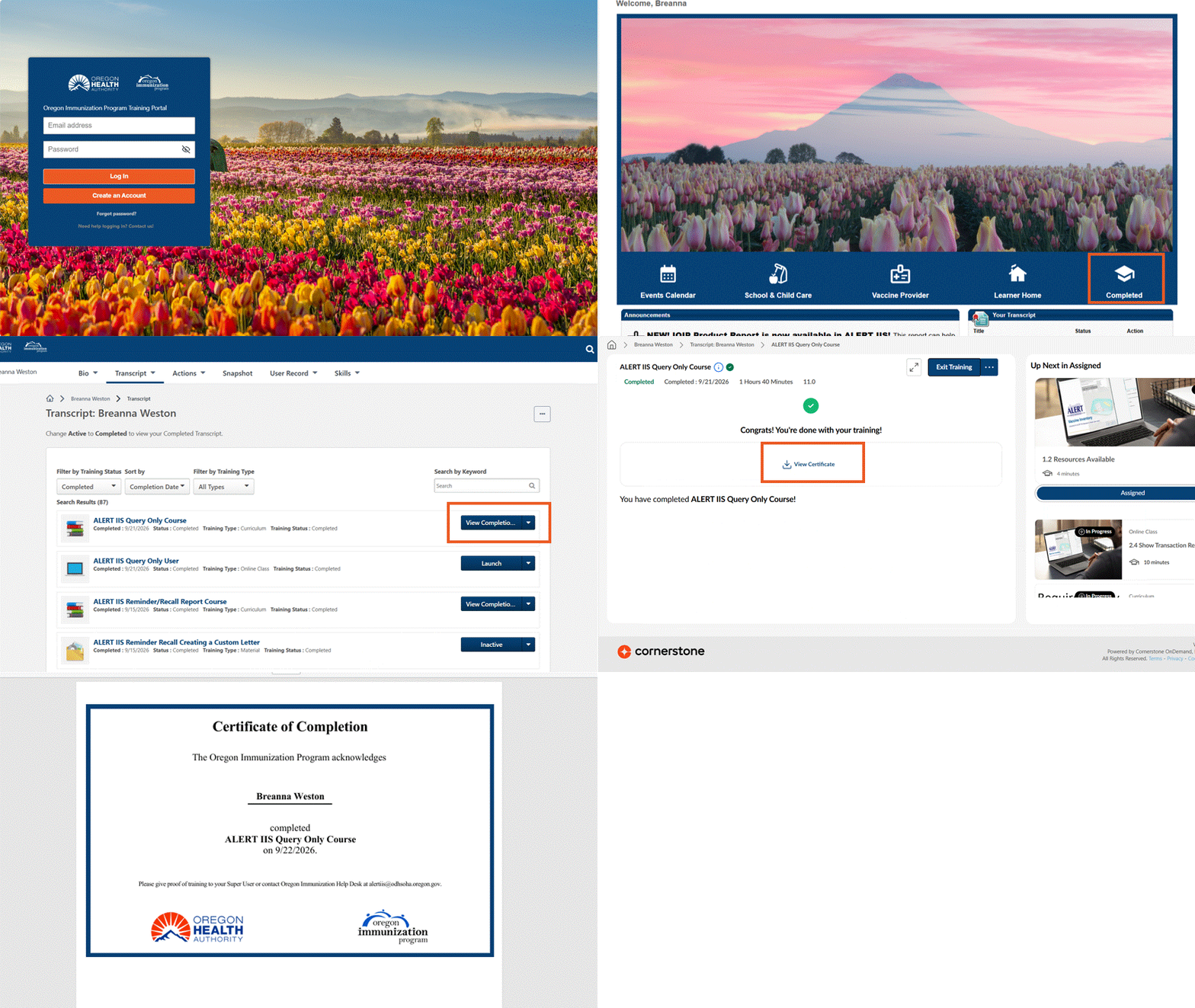
To find your certificates,
- Log in to
oip.csod.com
- Click on the “completed" button.
- Next to the training, click on the “View Completion Page" button.
- Click on the “View Certificate" button. This opens the certificate in a new window.
- Save or print your certificate.
Training information
Questions?
Call (800) 980-9431 or email
OIP.Training@odhsoha.oregon.gov.